
Salesforce Deployment Automation Tools (2026 Guide)
Salesforce deployment automation tools help teams release changes faster and reduce manual errors. However, many teams still experience issues after deployment, even when automation is in place.
In practice, deployment is only one part of the release process. While automation improves speed and consistency, it does not guarantee that everything works correctly in production.
To understand the full lifecycle, see
Therefore, teams must understand both the capabilities and limitations of deployment tools to build reliable release workflows.
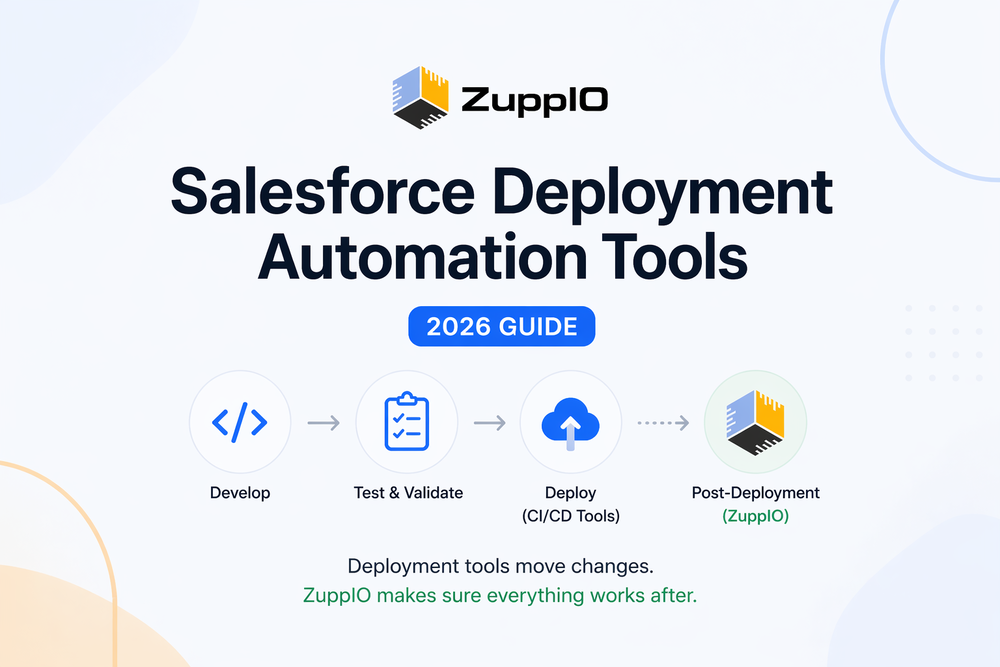
What Is Salesforce Deployment Automation
Salesforce deployment automation refers to the use of tools and processes that move metadata between environments with minimal manual effort.
Typically, teams automate:
- Metadata deployments
- CI/CD pipelines
- Testing and validation
As a result, teams can release changes more frequently and with fewer errors.
However, this automation primarily focuses on delivering changes — not on ensuring that systems behave correctly after deployment.
For more technical details on Salesforce deployment mechanisms, see the official documentation.
Why Teams Need Deployment Automation Tools
Without automation, Salesforce deployments become slow and error-prone. Teams rely on manual processes, which increase the risk of inconsistencies.
For example, teams often:
- Deploy changes manually between environments
- Miss configuration updates
- Introduce inconsistencies across orgs
As a result, releases become difficult to manage, especially in complex environments.
Moreover, multi-org setups increase complexity significantly. What works in one org may fail in another.
Top Salesforce Deployment Automation Tools
Several tools help automate Salesforce deployments. Each tool offers different capabilities depending on team size and release complexity.
Gearset
Gearset is one of the most widely used Salesforce deployment tools. It focuses on ease of use and fast deployment workflows.
Teams use Gearset to compare environments, manage deployments, and automate CI/CD pipelines.
However, Gearset primarily focuses on metadata deployment rather than post-deployment processes.
Copado
Copado is an enterprise DevOps platform designed for large Salesforce teams. It supports advanced release management, compliance, and automation.
As a result, enterprises often use Copado for complex workflows.
However, it requires significant setup and ongoing management.
Flosum
Flosum is a native Salesforce DevOps solution that operates directly on the platform. It provides version control and deployment capabilities within Salesforce.
However, its flexibility may be limited compared to external tools.
Salesforce DevOps Center
DevOps Center is Salesforce’s native deployment solution. It provides basic CI/CD functionality and integrates with version control systems.
It works well for smaller teams but lacks advanced capabilities required for large-scale release processes.
ZuppIO
ZuppIO works alongside Salesforce deployment tools and focuses on post-deployment operations.
Instead of replacing CI/CD tools, it helps teams automate what happens after deployment — especially across multiple orgs.
For example, teams can:
- Execute scripts across environments
- Apply configuration updates in bulk
- Maintain consistency across orgs
As a result, ZuppIO addresses gaps that traditional deployment tools do not cover.
Comparison of Salesforce Deployment Automation Tools
| Tool | CI/CD | Role | Post-Deployment |
|---|---|---|---|
| Gearset | Yes | Deployment | No |
| Copado | Yes | DevOps Platform | No |
| Flosum | Yes | DevOps Platform | No |
| DevOps Center | Basic | Native Tool | No |
| ZuppIO | Works with CI/CD | Post-Deployment Layer | Yes |
This comparison highlights a key gap.
Most tools focus on deployment, while post-deployment processes remain manual.
Limitations of Deployment Automation Tools
Although deployment tools improve efficiency, they have clear limitations.
First, deployment does not guarantee a working system. Tools focus on metadata delivery, but they do not manage runtime behavior such as data updates, automation execution, or environment-specific configurations.
Second, these tools do not fully handle multi-org consistency. Differences between environments can still cause issues after deployment.
As a result, teams often encounter recurring issues after deployment. Common problems are covered here.
What Happens After Deployment
After deployment, teams must complete several critical steps to ensure a successful release.
These steps include:
- Validating system behavior
- Updating configurations
- Verifying permissions
- Testing integrations
For a detailed checklist, see.
Without these steps, even successful deployments can result in production issues.
How to Automate Beyond Deployment
To build a reliable release process, teams must extend automation beyond deployment.
They should automate:
- Post-deployment updates
- Script execution
- Environment synchronization
CI/CD tools automate deployments and testing; however, they are not designed to manage post-deployment processes across multiple orgs.
To explore this difference further, see.
How to Choose the Right Tool
Choosing the right tool depends on your team’s needs.
Teams should evaluate:
- Number of environments
- Deployment complexity
- Need for automation beyond CI/CD
- Amount of manual work after deployment
Smaller teams may rely on basic tools, while larger organizations require more advanced solutions.
Conclusion
Salesforce deployment automation tools are essential for modern development teams. They improve speed, reduce errors, and streamline deployments.
However, deployment automation alone is not enough.
Deployment automation is necessary. However, without post-deployment operations, releases remain incomplete.
Therefore, the most effective approach combines deployment tools with post-deployment automation to ensure consistent and reliable releases.
What are Salesforce deployment automation tools?
Salesforce deployment automation tools help teams move metadata between environments using automated workflows. These tools reduce manual effort and improve deployment consistency.
What is the best Salesforce deployment tool?
The best tool depends on team size and complexity. Gearset is known for ease of use, while Copado is suitable for enterprise environments. However, most tools focus only on deployment.
Does Salesforce have native deployment tools?
Yes, Salesforce provides DevOps Center as a native solution. However, it offers limited functionality compared to enterprise-grade tools.
What is CI/CD in Salesforce?
CI/CD refers to continuous integration and continuous delivery pipelines that automate testing and deployment of changes across environments.
Do deployment tools handle post-deployment tasks?
Most deployment tools do not handle post-deployment tasks. Teams still need to validate systems, update configurations, and ensure consistency after deployment.