
CI/CD vs Post-Deployment in Salesforce: What Teams Miss
Salesforce post-deployment is often overlooked in modern DevOps workflows.
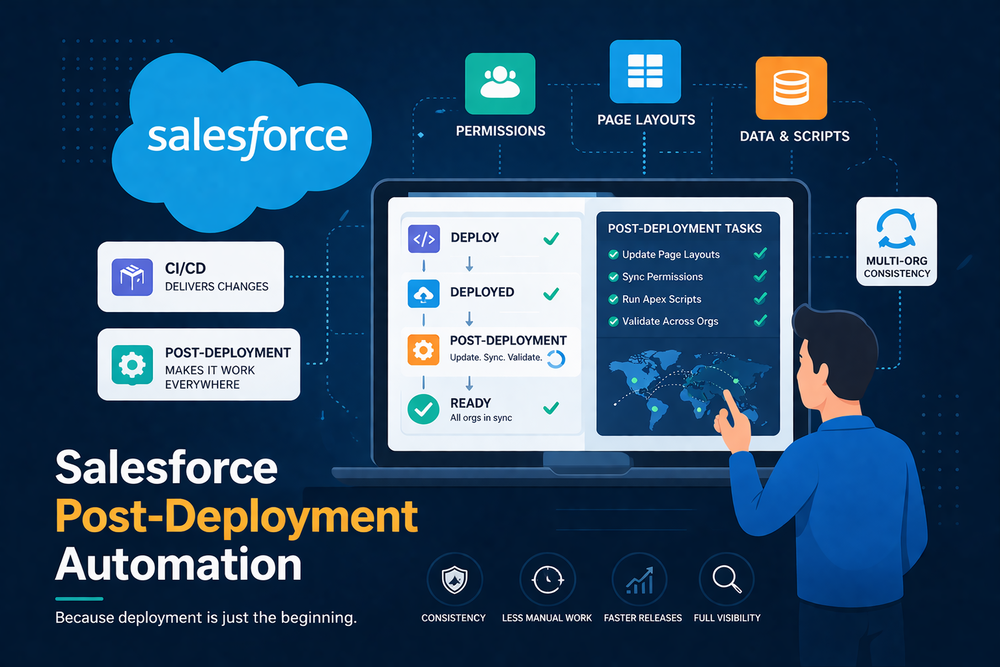
Most teams invest heavily in CI/CD pipelines to automate deployments, but still face issues after every release. Layouts break, permissions drift, and configurations remain inconsistent across orgs.
The problem is simple: CI/CD solves delivery, but does not fully address what happens after deployment at scale.
Understanding the difference between CI/CD and Salesforce post-deployment is critical for building reliable release processes.
What CI/CD Covers in Salesforce
CI/CD in Salesforce focuses on automating the delivery of code and metadata.
Typical CI/CD capabilities include:
- Version control integration
- Automated testing
- Deployment pipelines
- Continuous integration workflows
These tools help teams move changes from development to production efficiently.
For example, CI/CD pipelines rely on Salesforce Metadata API
And modern implementations can be extended with tools like
However, this is only part of the release process.
What CI/CD Does Not Fully Cover
CI/CD tools can automate certain post-deployment steps, such as running scripts or triggering jobs.
However, they are not designed to manage Salesforce post-deployment processes across multiple orgs at scale.
After changes are deployed, many important tasks still need to be completed:
- Updating page layouts
- Synchronizing permissions
- Adjusting configurations
- Running scripts or data updates
These tasks fall into the Salesforce post-deployment layer and require additional coordination.
What Is Salesforce Post-Deployment
Salesforce post-deployment refers to all actions required after deployment to ensure the system works correctly.
This includes:
- Metadata updates
- Configuration alignment
- Data and logic execution
- Multi-org synchronization
For a detailed explanation of this layer, see
Salesforce post-deployment ensures that changes are not only delivered but also fully applied and usable across environments.
CI/CD vs Post-Deployment: Key Differences
The difference between CI/CD and Salesforce post-deployment can be summarized clearly.
| CI/CD | Post-Deployment |
|---|---|
| Delivers changes | Applies and finalizes changes |
| Focus on pipelines | Focus on system state |
| Code and metadata | Configurations and data |
| Pre-release validation | Post-release consistency |
| Works per environment | Works across multiple orgs |
CI/CD ensures that changes reach production.
Salesforce post-deployment ensures that production works consistently across environments.
Why This Gap Exists
The gap between CI/CD and Salesforce post-deployment exists due to platform limitations and process design.
Salesforce Architecture
Salesforce deployments update metadata, but do not overwrite subscriber-controlled components such as layouts, profiles, and certain configurations.
These elements must be updated separately after deployment.
Multi-Org Environments
Many teams operate across multiple orgs, each with its own configuration state.
Keeping these environments aligned after deployment requires additional coordination that CI/CD pipelines do not handle by default.
Tooling Focus
Most DevOps tools are designed to solve deployment workflows.
They are not built to manage post-deployment consistency across multiple orgs at scale.
What Happens When Post-Deployment Is Ignored
When Salesforce post-deployment is not addressed, teams experience:
- Inconsistent environments
- Increased manual work
- Higher risk of errors
- Slower release cycles
Over time, this reduces confidence in the release process and increases operational overhead.
When CI/CD Alone Stops Being Enough
CI/CD works well for smaller environments.
However, as complexity grows, limitations become clear:
- With a few orgs, manual fixes are manageable
- With 10+ orgs, effort increases significantly
- With dozens of orgs, manual processes become difficult to control
At this point, Salesforce post-deployment becomes essential for maintaining consistency.
How Teams Bridge the Gap
To close the gap between CI/CD and Salesforce post-deployment, teams extend their workflows beyond deployment.
This typically includes:
- Defining a source org as a reference
- Identifying required updates
- Selecting target environments
- Validating changes
- Executing updates across orgs
For executing logic across environments
For deploying metadata packages without relying on a source org
Tools That Address Post-Deployment
Native Salesforce Tools
Salesforce provides deployment tools, but does not provide a centralized way to manage post-deployment processes across multiple orgs.
CI/CD Solutions
CI/CD tools improve delivery but do not fully solve post-deployment coordination across environments.
They are an important part of the workflow, but not a complete solution.
Dedicated Post-Deployment Tools
Specialized tools are designed to manage post-deployment processes across multiple orgs.
These tools help ensure consistency, reduce manual work, and improve release reliability.
How ZuppIO Fits Into the Workflow
ZuppIO extends DevOps workflows by addressing Salesforce post-deployment processes across multiple orgs.
It enables controlled execution of updates to layouts and configurations, script execution across environments, and validation before applying changes.
Learn more about coordinated updates across environments
Conclusion
CI/CD and Salesforce post-deployment solve different problems.
CI/CD delivers changes.
Post-deployment ensures those changes work consistently across environments.
Ignoring this distinction leads to manual work, inconsistencies, and unreliable releases.
As Salesforce environments scale, combining CI/CD with Salesforce post-deployment processes becomes essential for building predictable and scalable systems.
What is the difference between CI/CD and post-deployment in Salesforce?
CI/CD focuses on delivering code and metadata, while post-deployment ensures that configurations, data, and environments are fully aligned after release.
Why is CI/CD not enough in Salesforce?
Because deployments do not update all components automatically, especially subscriber-controlled elements like layouts and permissions.
What does post-deployment include?
It includes updating configurations, running scripts, synchronizing environments, and ensuring consistency across orgs.
How can teams handle post-deployment more efficiently?
By extending workflows with automation tools that manage updates across multiple environments and reduce manual effort.