
Salesforce Post-Deployment Checklist for Multi-Org Teams
A Salesforce post-deployment checklist ensures that changes work correctly after deployment — not just during it.
In many Salesforce teams, deployment is treated as the final step. However, most issues actually appear after deployment, when users start interacting with the system.
As a result, teams often face unexpected problems in production. Therefore, a structured Salesforce post-deployment checklist becomes essential.
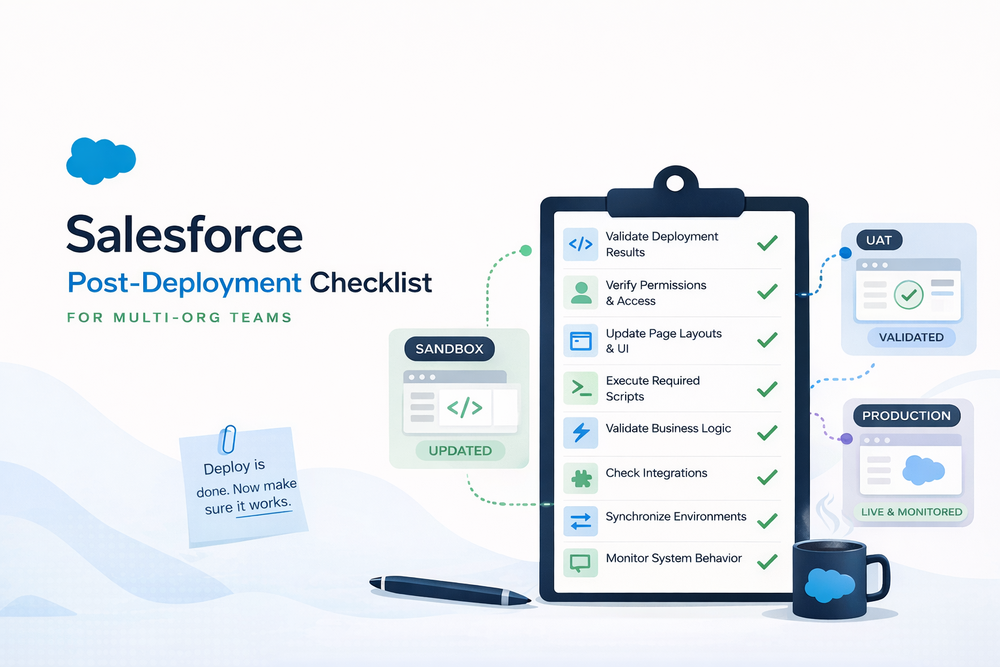
What Happens After Deployment in Salesforce
Deployment delivers metadata; however, it does not guarantee that the system behaves as expected.
Therefore, teams must complete several critical steps after deployment:
- Configurations must be aligned
- Teams must verify permissions
- Teams must validate business logic
- Teams must test integrations
In other words, deployment is only the beginning. Without post-deployment validation, systems often fail under real usage conditions.
For a full view of the release lifecycle, see
Why Multi-Org Teams Struggle More
Multi-org environments introduce additional complexity. For example, each org may have different configurations, data, and customizations.
As a result, a deployment that works in one org may fail in another. Therefore, maintaining consistency across environments becomes a key challenge.
Moreover, teams often manage multiple release timelines, which increases the risk of inconsistencies.
Salesforce Post-Deployment Checklist
To avoid these issues, teams should follow a structured Salesforce post-deployment checklist.
Below are the key steps to ensure a successful release.
1. Validate Deployment Results
Teams must confirm that all metadata changes were applied successfully.
This includes:
- Objects and fields
- UI components
- Automation logic
Even if deployment reports success, teams should still validate results manually.
2. Verify Permissions and Access
Teams often leave permissions misaligned after deployment. Therefore, they must verify access carefully.
Check:
- Profiles
- Permission sets
- Access to new fields and features
Managing access across environments can be streamlined with
3. Update Page Layouts and UI
Salesforce does not automatically update page layouts in many cases. As a result, teams must adjust UI elements manually.
These components include layouts, fields, and interface elements.
Bulk updates across environments can be handled here
4. Execute Required Scripts
Some changes require additional execution after deployment. Therefore, teams must run scripts to complete the process.
This may include:
- Running Apex scripts
- Performing data updates
- Applying business logic
Execution at scale can be managed using
5. Validate Business Logic
Teams must verify automation in real scenarios.
This includes:
- Flows
- Triggers
- Validation rules
Even small inconsistencies can affect business processes. Therefore, teams should test carefully after deployment.
6. Check Integrations
External integrations require validation after deployment. Otherwise, data flows may break.
Teams should check:
- API connections
- Data synchronization
- Third-party systems
Salesforce integration best practices
7. Synchronize Environments
Teams must ensure consistency across all orgs. Otherwise, differences in configuration can cause unexpected behavior.
Managing updates across environments can be simplified with
8. Monitor System Behavior
After deployment, teams should actively monitor system performance.
They should track:
- Errors
- Performance issues
- Unexpected results
As a result, teams can identify problems early and respond faster.
9. Communicate Release Changes
Teams should communicate changes clearly to stakeholders.
This step ensures better adoption and reduces confusion.
Common Post-Deployment Problems
Even with a checklist, teams still face recurring issues. For example:
- Changes work in sandbox but fail in production
- Configurations are missing or incomplete
- Automation behaves differently
- Data inconsistencies affect logic
More deployment-related issues are covered here
Why Manual Post-Deployment Doesn’t Scale
Manual post-deployment processes become inefficient as systems grow.
In a single org, teams can manage updates manually. However, complexity increases in multi-org environments.
As a result, manual work becomes unsustainable at scale. Teams spend more time fixing issues instead of delivering value.
How to Automate Post-Deployment at Scale
Automation helps teams manage post-deployment processes more efficiently.
For example, teams can:
- Execute scripts across environments
- Apply updates consistently
- Reduce human error
However, traditional CI/CD tools mainly focus on deployment. Therefore, they do not fully cover post-deployment workflows.
How ZuppIO Supports Post-Deployment Processes
ZuppIO helps teams manage post-deployment activities across multiple orgs.
For example, it enables:
- Automated updates across environments
- Script execution at scale
- Consistent configuration management
As a result, teams reduce manual work and improve release reliability.
Conclusion
In conclusion, deployment alone is not enough. Instead, teams must validate, update, and monitor systems across all environments.
For multi-org teams, this becomes even more important. Therefore, a structured Salesforce post-deployment checklist helps ensure consistent and reliable releases.
What is post-deployment in Salesforce?
Post-deployment refers to all steps that happen after metadata is deployed to production. While deployment moves changes between environments, it does not guarantee that the system works correctly. Therefore, teams must validate functionality, update configurations, and verify permissions in real scenarios.
Why is post-deployment important?
Post-deployment is important because many issues appear only after users start working with the system. Even if deployment is successful, missing configurations or incorrect permissions can break functionality. As a result, teams must validate systems after release.
What should be included in a post-deployment checklist?
A post-deployment checklist should include validation of metadata, verification of permissions, updates to page layouts, execution of scripts, testing of business logic, and monitoring of system behavior. In addition, teams should ensure consistency across multiple orgs.
How do multi-org teams manage post-deployment?
Multi-org teams manage post-deployment through structured workflows and automation. Since each org may differ, manual updates quickly become inefficient. Therefore, teams use standardized processes and tools to maintain consistency.
Can post-deployment processes be automated?
Yes, teams can automate many post-deployment tasks. For example, they can automate configuration updates, script execution, and environment synchronization. However, Salesforce does not fully automate these processes by default, so teams often use additional tools.