
Why Salesforce Deployments Still Fail After CI/CD
Salesforce deployments fail after CI/CD more often than many teams expect. Even with automated pipelines in place, issues still appear after release.
At first glance, this seems surprising. CI/CD is designed to improve reliability and reduce errors. However, in real-world Salesforce environments, problems often emerge only after deployment, when systems start operating with real data and integrations.
To understand the full lifecycle, see
Therefore, it is important to understand why Salesforce deployments fail after CI/CD and what teams can do to prevent these issues.
What CI/CD Actually Solves in Salesforce
CI/CD plays an important role in Salesforce development. It helps teams automate deployment workflows and improve consistency.
With CI/CD, teams can:
- Automate metadata deployments
- Use version control
- Run automated tests
- Build structured release pipelines
As a result, teams can deliver changes faster and with fewer manual errors.
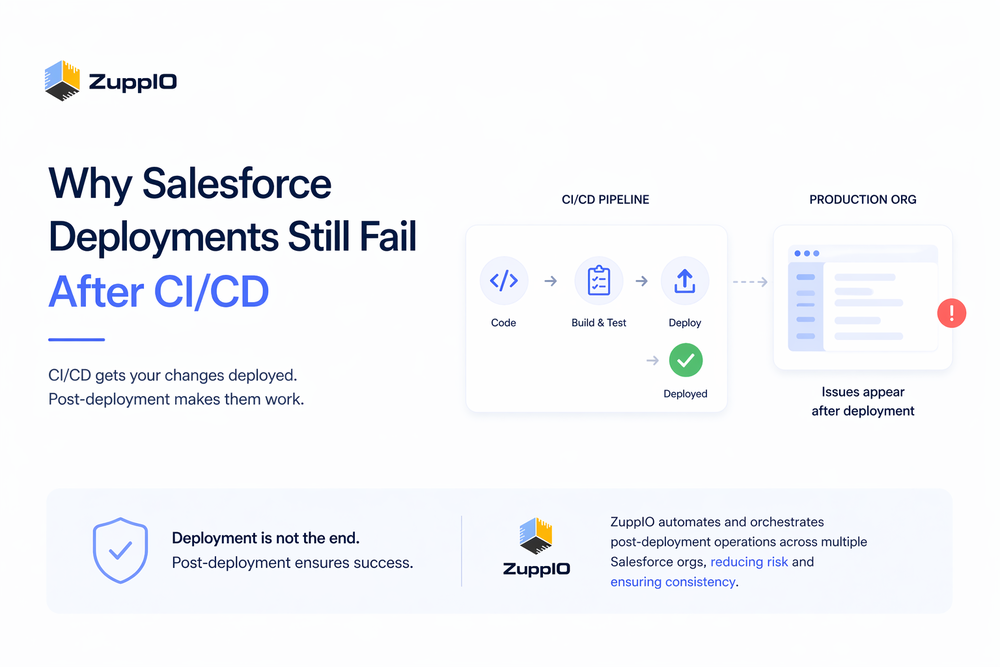
However, CI/CD automates pipelines and testing; it does not manage runtime behavior or post-deployment operations.
For a technical overview of Salesforce deployment architecture, see
Why Salesforce Deployments Still Run Into Issues After CI/CD
Even with CI/CD, deployments can encounter issues for several reasons.
Runtime Behavior Differs from Metadata
A deployment can succeed technically while the system behaves incorrectly.
Automation often behaves differently in production due to real data, asynchronous processes, and environment-specific configurations.
Environment Differences
Salesforce environments are rarely identical.
Sandbox and production differ in:
- Data
- Configurations
- Integrations
- User behavior
As a result, a deployment that works in a sandbox may produce unexpected behavior in production.
Missing Post-Deployment Steps
Many critical steps happen after deployment, not during it.
These include:
- Updating permissions
- Adjusting page layouts
- Running scripts
- Validating configurations
For a structured approach, see
Multi-Org Complexity
In multi-org environments, complexity increases significantly.
Each org may have different configurations, data, and dependencies. Therefore, maintaining consistency becomes difficult, and small differences can lead to issues after deployment.
Integration and Timing Issues
External systems introduce additional complexity.
APIs, asynchronous processes, and integration timing can create unexpected behavior after deployment. Even if deployment succeeds, integrations may fail due to dependency or timing mismatches.
Common Post-Deployment Scenarios
In real-world Salesforce projects, teams often encounter similar issues after deployment.
For example:
- Automation does not trigger as expected
- Users cannot access new features
- Integrations return errors
- Data inconsistencies affect logic
These issues are common and predictable. For more details, see
The Gap Between CI/CD and Production Reality
CI/CD improves how teams deliver changes. However, it does not ensure that systems behave correctly in production.
This creates a gap between deployment and actual system behavior.
In simple terms:
- Deployment delivers changes
- Production determines how those changes behave
This gap explains why deployments still encounter issues even with automation.
What Happens After Deployment
After deployment, teams must perform several important steps.
These include:
- Validating system behavior
- Updating configurations
- Verifying permissions
- Testing integrations
To understand the full release lifecycle, see
Without these steps, even successful deployments can result in inconsistencies.
How to Prevent Issues After CI/CD
To reduce issues, teams must extend their processes beyond deployment.
They should:
- Use post-deployment checklists
- Validate real-world scenarios
- Monitor system behavior
- Ensure consistency across environments
However, manual processes do not scale, especially in multi-org environments.
To understand how deployment tools compare and where gaps remain, see
Why Post-Deployment Automation Is Missing
Most Salesforce DevOps tools focus on deployment and CI/CD.
As a result, post-deployment processes often remain manual.
Teams typically lack:
- Automation for configuration updates
- Tools for multi-org coordination
- Visibility into post-deployment behavior
This gap explains why issues continue even with advanced DevOps setups.
How ZuppIO Fits Into the Process
ZuppIO works alongside CI/CD tools and focuses on post-deployment operations.
Instead of replacing deployment tools, it helps teams manage and automate what happens after deployment across multiple orgs.
For example, teams can:
- Execute and coordinate post-deployment operations
- Apply updates consistently across environments
- Reduce configuration drift between orgs
As a result, teams can reduce the risk of post-deployment issues and improve release consistency.
Conclusion
CI/CD is essential for modern Salesforce development. It improves speed, consistency, and deployment reliability.
However, CI/CD alone is not sufficient.
Salesforce deployments often run into issues after CI/CD because post-deployment processes are not fully managed.
Therefore, the most effective approach combines CI/CD with structured post-deployment processes and automation.
Why do Salesforce deployments fail after CI/CD?
Salesforce deployments fail after CI/CD because CI/CD focuses on metadata delivery, not on runtime behavior. Differences in data, configurations, and integrations often lead to issues.
What does CI/CD solve in Salesforce?
CI/CD automates deployment pipelines, version control, and testing. It improves release speed and reduces manual errors but does not manage post-deployment operations.
What is missing after deployment in Salesforce?
Teams must validate system behavior, update configurations, verify permissions, and test integrations. These steps are often manual and error-prone.
How can teams prevent deployment issues?
Teams can reduce issues by implementing structured post-deployment processes and ensuring consistency across environments.
What is post-deployment automation?
Post-deployment automation refers to automating tasks that occur after deployment, such as configuration updates and environment synchronization.