
Salesforce Post-Deployment Monitoring: What to Track After Release
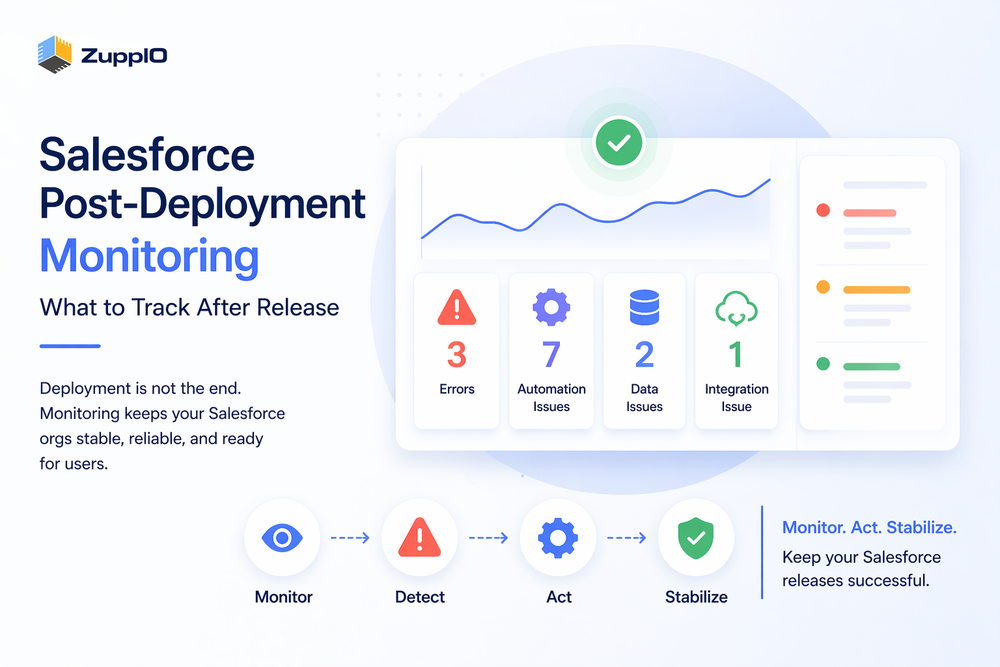
Salesforce post-deployment monitoring is essential for ensuring that systems work correctly after release.
Many teams assume that once deployment is complete, everything is ready. However, most issues in Salesforce appear after deployment, not during it.
After release, systems begin operating with real data, users, integrations, and asynchronous processes. That is when unexpected behavior often occurs.
To understand why this happens, see
Therefore, Salesforce post-deployment monitoring helps teams detect issues early and maintain stable releases.
What Is Salesforce Post-Deployment Monitoring
Salesforce post-deployment monitoring refers to tracking logs, automation execution, data behavior, and integration outcomes after deployment.
It includes observing not only technical signals but also how business processes behave in real conditions.
In practice, monitoring helps teams:
- Detect errors and failures
- Identify unexpected behavior
- Understand system performance signals
- Validate release outcomes
Monitoring allows teams to identify issues before they significantly impact users.
Why Monitoring After Deployment Is Critical
After deployment, the system operates in a completely different environment.
Production includes:
- Real data
- Active users
- Live integrations
- Background and asynchronous processing
As a result, behavior can differ significantly from sandbox environments.
This is why Salesforce post-deployment monitoring is critical — it helps detect issues that cannot be identified during deployment.
What to Track After Salesforce Deployment
To ensure stability, teams must track multiple aspects of the system after release.
Errors and Exceptions
Errors are one signal of issues, but not all problems produce clear exceptions. Many issues appear as incorrect behavior rather than explicit errors.
Teams should monitor:
- Apex exceptions
- Flow failures
- Debug logs
For reference, see Salesforce logging documentation
Automation Behavior
Automation often behaves differently in production.
This includes:
- Flows not triggering
- Execution order issues
- Unexpected outcomes based on real data
Flows and triggers may behave differently due to data conditions, dependencies, or execution timing.
Data Consistency
Data issues frequently appear after deployment.
Teams should check for:
- Missing records
- Incorrect values
- Broken relationships
Data inconsistencies may also be caused by asynchronous updates, sharing recalculations, or delayed processes.
Integrations and APIs
Integrations introduce additional complexity.
Teams should monitor:
- API failures
- Data synchronization issues
- Delays in external systems
Integrations may fail due to API limits, timing issues, or dependencies on external services.
Performance Signals
Salesforce does not provide full infrastructure-level performance monitoring, but teams can track performance-related signals.
These include:
- Slow transactions
- Long-running jobs
- User-reported latency
Monitoring these signals helps identify bottlenecks after deployment.
User Access and Permissions
Permissions often cause issues after deployment.
Teams should verify:
- Access to objects and fields
- Visibility of new features
- Role and profile configurations
For a structured validation approach, see
Multi-Org Consistency
In multi-org environments, consistency is a major challenge.
Teams must ensure that:
- Configurations match across orgs
- Updates are applied correctly
- Environments remain aligned
Without this, differences between orgs can lead to unexpected behavior.
Common Post-Deployment Monitoring Gaps
Many teams do not monitor effectively after deployment.
Common gaps include:
- Lack of centralized visibility
- Delayed issue detection
- Heavy reliance on manual checks
- Limited monitoring across multiple orgs
These gaps increase the risk of production issues.
For common deployment problems, see
How Teams Monitor Salesforce Today
Most teams rely on a combination of tools and manual processes.
These include:
- Debug logs
- System reports
- Manual validation
- Dashboards
However, these approaches are often fragmented and reactive rather than proactive.
To understand how deployment tools fit into this process, see
Why Monitoring Alone Is Not Enough
Monitoring helps detect issues, but it does not resolve them.
Teams often identify problems but still need to fix them manually.
As a result, resolution is slow and error-prone, especially in complex environments.
Therefore, monitoring must be connected to operational actions.
From Monitoring to Post-Deployment Operations
Effective teams move beyond monitoring.
They connect monitoring insights to operational workflows.
This includes:
- Executing fixes
- Applying configuration updates
- Synchronizing environments
This approach reduces downtime and improves release stability.
How ZuppIO Supports Post-Deployment Operations
ZuppIO works alongside monitoring and CI/CD tools and focuses on post-deployment operations.
It does not replace monitoring. Instead, it helps teams act on issues by executing post-deployment operations across multiple orgs.
For example, teams can:
- Execute coordinated updates across environments
- Apply configuration changes consistently
- Reduce configuration drift between orgs
As a result, teams can act on monitoring insights faster and maintain consistency across environments.
Best Practices for Salesforce Post-Deployment Monitoring
To improve monitoring effectiveness, teams should:
- Start monitoring immediately after deployment
- Focus on business-critical processes
- Track both technical signals and business behavior
- Centralize monitoring data
- Connect monitoring to operational workflows
These practices help ensure stable and predictable releases.
Conclusion
Salesforce post-deployment monitoring is essential for modern release processes.
It helps teams detect issues early and understand how systems behave in production.
However, monitoring alone is not enough.
To ensure successful releases, teams must combine monitoring with post-deployment operations and automation.
What is Salesforce post-deployment monitoring?
Salesforce post-deployment monitoring is the process of tracking logs, automation behavior, data consistency, and integrations after deployment to ensure that systems work correctly in production.
What should you monitor after Salesforce deployment?
Teams should monitor errors, automation execution, data consistency, integrations, performance signals, and user access.
Why do issues appear after deployment?
Issues appear because production environments include real data, users, integrations, and asynchronous processes that behave differently from test environments.
How do teams monitor multiple Salesforce orgs?
Teams typically use logs and dashboards, but managing multiple orgs requires additional coordination and consistent processes across environments.
Is monitoring enough after deployment?
No, monitoring is not enough. Teams must also act on insights and apply fixes to ensure system stability.