
Salesforce Deployment Errors: Common Failures After Release
Salesforce deployment errors are one of the most common challenges teams face when releasing changes.
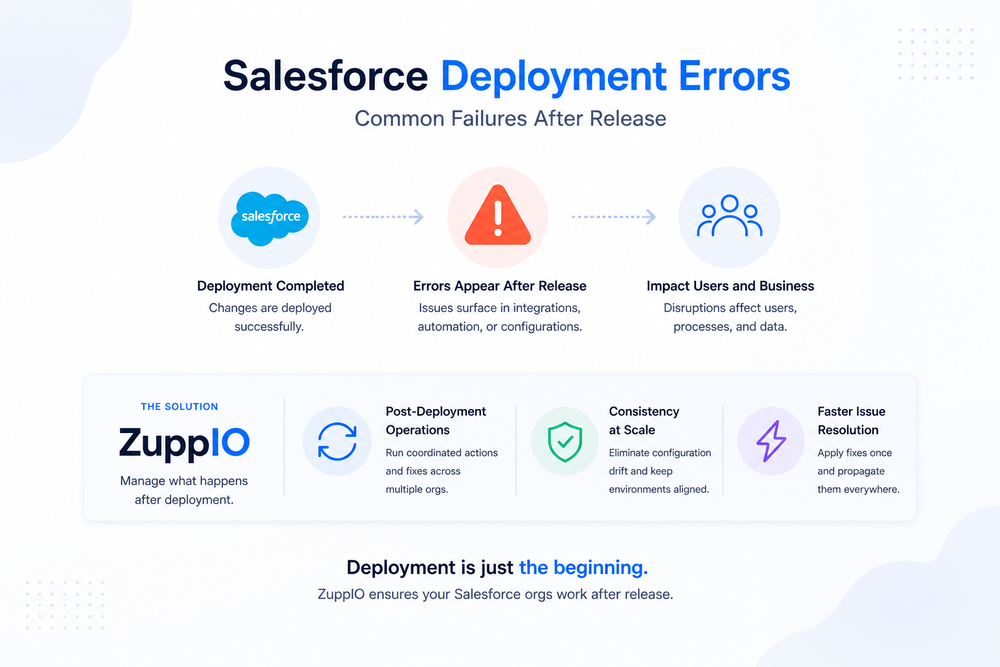
At first glance, everything may look correct. Deployment completes successfully, validation passes, and tests run without issues.
However, once the system goes live, problems begin to appear. Integrations stop working, automation behaves differently, and users encounter unexpected errors.
The key issue is simple: deployment success does not guarantee that the system actually works in production.
Understanding Salesforce deployment errors requires looking beyond CI/CD pipelines and focusing on what happens after release, when systems operate under real conditions.
What Are Salesforce Deployment Errors
Most teams associate Salesforce deployment errors with failures during the deployment process itself.
These include:
- validation errors
- failed test runs
- missing dependencies
- metadata conflicts
While these are important, they represent only part of the problem.
A second category — often more critical — is post-deployment errors. These occur after deployment is completed, when real users, integrations, and automation processes start interacting with the system.
Why Deployment Errors Still Happen
Salesforce environments are inherently complex. Even well-prepared deployments can fail due to factors that are difficult to replicate during testing.
These include:
- differences between sandbox and production environments
- dependencies on external integrations
- variations in real data and user behavior
- inconsistent configurations across environments
Because of this, many Salesforce deployment errors are not caused by the deployment itself, but by how the system behaves after it goes live.
Common Salesforce Deployment Errors
To manage deployment risks effectively, it is important to understand the most common types of errors.
Validation Errors
Validation errors occur before deployment completes and typically include:
- missing metadata dependencies
- configuration conflicts
- invalid setup changes
These issues are usually detected early and are relatively straightforward to fix.
Test Failures
Apex tests must pass before deployment can proceed.
Failures often result from:
- logic changes
- differences in test data
- dependencies on existing records
Although these errors block deployment, they do not reflect real production behavior.
Permission Issues
Permissions frequently behave differently after deployment.
Teams may encounter:
- missing access to objects or fields
- incorrect profile or permission set configurations
- unexpected authorization errors
These problems often appear only when users begin interacting with the system.
Integration Errors
Integrations are one of the most common sources of post-deployment issues.
Typical problems include:
- API authentication failures
- broken endpoints
- OAuth-related errors
For more details on how Salesforce handles authentication and integrations, see
Post-Deployment Failures
The most critical Salesforce deployment errors occur after release.
These include:
- automation processes failing
- integrations behaving inconsistently
- data synchronization issues
- unexpected system behavior
These problems cannot be fully detected during deployment and only become visible in production.
Why Most Errors Appear After Deployment
Deployment pipelines are designed to validate metadata and ensure technical correctness.
However, they do not simulate:
- real user behavior
- live integrations
- production data conditions
As a result, issues emerge only after deployment, when the system is actively used.
For a deeper explanation of this gap, see
The Real Problem: Lack of Post-Deployment Control
Most teams focus on delivering changes successfully.
Very few focus on controlling what happens after deployment.
This leads to a critical gap:
- issues are detected too late
- fixes are applied manually
- environments become inconsistent
In reality, Salesforce deployment errors are not the core problem.
The real issue is the lack of structured post-deployment control.
How Teams Fix Deployment Errors Today
In practice, most teams rely on reactive approaches:
- manual troubleshooting
- environment-by-environment fixes
- custom scripts
- ad hoc coordination
While this may work in smaller environments, it becomes increasingly inefficient as systems grow.
Why This Doesn’t Scale
In multi-org environments, deployment errors quickly become more complex.
Teams must deal with:
- repeated issues across multiple orgs
- configuration drift over time
- inconsistent behavior between environments
- increasing operational overhead
As a result, even minor issues can escalate into large-scale operational problems.
How to Reduce Salesforce Deployment Errors
Reducing deployment errors requires a structured approach that extends beyond deployment itself.
Key practices include:
- validating system behavior after release
- monitoring integrations and automation
- ensuring configuration consistency
- applying fixes in a controlled and repeatable way
For a structured validation approach, see
For monitoring strategies, see
Where ZuppIO Fits
ZuppIO acts as an operational layer between deployment and a working system.
It does not replace CI/CD tools. Instead, it focuses on ensuring that systems function correctly after deployment.
With ZuppIO, teams can:
- execute coordinated post-deployment operations across multiple orgs
- apply fixes consistently at scale
- reduce configuration drift between environments
- manage post-deployment changes in a structured way
This becomes especially important when dealing with Salesforce deployment errors across multiple environments.
Instead of fixing issues manually in each org, teams can apply changes once and ensure consistency everywhere.
Example Scenario
Consider a deployment across several Salesforce orgs.
The deployment completes successfully, but shortly after:
- integrations fail in some environments
- permissions differ across orgs
- automation behaves inconsistently
Without structured operations, teams must troubleshoot and fix each issue manually.
With a centralized approach, these issues can be resolved faster and more consistently across environments.
Conclusion
Salesforce deployment errors are not limited to the deployment process itself.
Many of the most critical issues appear after release, when systems operate under real conditions.
Successful deployment is only the first step. Ensuring that systems actually work requires control over what happens next.
Teams that focus on post-deployment operations can significantly reduce errors, improve consistency, and maintain stable Salesforce environments at scale.
What are Salesforce deployment errors?
Salesforce deployment errors include failures during deployment as well as issues that appear after release in production environments.
Why do errors appear after deployment?
Because deployment pipelines do not replicate real-world conditions such as live integrations, user behavior, and production data.
What are the most common deployment errors in Salesforce?
Common errors include validation failures, test failures, permission issues, integration problems, and post-deployment failures.
How can teams reduce deployment errors?
Teams can reduce errors by validating systems after deployment, monitoring production behavior, and ensuring consistent configurations across environments.
Why are deployment errors harder in multiple orgs?
Because differences between environments create inconsistencies, making issues harder to detect and resolve at scale.