
How to Plan a Salesforce Release Without Breaking Production
Learning how to plan a Salesforce release properly is essential for maintaining stable production environments. While Salesforce deployments may appear technically successful, many releases still introduce unexpected issues once they reach production.
Modern Salesforce environments are complex. They often include automation processes, integrations with external systems, and multiple environments used by different teams. Because of this complexity, even small configuration changes can cause disruptions if releases are not carefully planned.
Without proper release planning, organizations frequently experience:
- automation conflicts
- integration failures
- configuration drift across environments
- unexpected production incidents
Therefore, structured release planning helps Salesforce teams deploy updates safely while maintaining reliable system behavior.
To understand the broader context of release planning, you can also explore our guide on Salesforce Release Management Best Practices.
Why Salesforce Releases Can Break Production
Even well-tested releases can create problems once deployed to production environments.
One common reason is automation. Salesforce environments often contain workflows, flows, triggers, and background jobs. When new configurations interact with these automation components, unexpected behaviors may occur.
Another challenge comes from differences between environments. Over time, sandbox environments and production environments may diverge due to manual configuration changes. As a result, a deployment that works in testing environments may behave differently in production.
Integrations also play a major role. Many Salesforce organizations connect their CRM with external platforms such as marketing automation systems, ERP platforms, or internal APIs. Changes to objects, fields, or automation can affect these integrations during a release.
These challenges are discussed in detail in our article on Salesforce Release Management Challenges.
Understanding these risks is the first step toward planning safer releases.
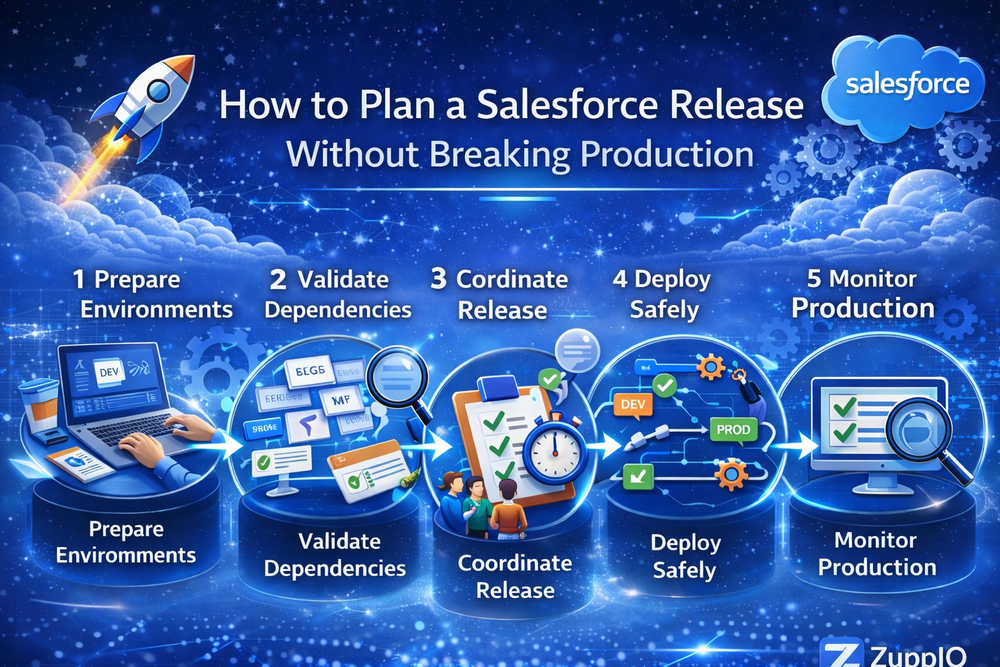
Step 1 — Prepare Salesforce Environments
The first step in planning a Salesforce release is preparing the environments involved in the release process.
Most organizations use several environments during the release lifecycle, including:
- development environments
- sandbox testing environments
- staging environments
- production environments
Each environment plays a different role in validating system behavior before changes reach production users.
Development environments allow engineers to build new features and configuration changes. Sandbox environments support testing and user acceptance validation. Staging environments simulate production conditions and help teams verify system behavior before deployment.
Salesforce provides detailed guidance about Salesforce sandbox environments in its official documentation.
By preparing environments correctly, teams reduce the risk of introducing unstable changes into production systems.
Step 2 — Validate Metadata Dependencies
Before deploying changes, teams should validate metadata dependencies across Salesforce environments.
Salesforce systems include many interconnected components, such as:
- objects and fields
- automation processes
- permission sets
- page layouts
- integrations
If a dependency is missing or configured differently in production, a deployment may fail or produce unexpected behavior.
For this reason, validation should include reviewing metadata relationships and confirming that required components exist in the target environment.
Tools such as Validation and Revert help teams verify deployments before activation and restore previous states if necessary.
Validating dependencies significantly reduces the risk of deployment errors.
Step 3 — Coordinate the Release Across Environments
Release coordination is another critical step when planning a Salesforce deployment.
In many organizations, multiple teams contribute changes to the same Salesforce environment. Without proper coordination, these changes can conflict with each other during deployment.
Release coordination typically involves:
- scheduling deployment windows
- confirming integration readiness
- coordinating with administrators and developers
- preparing automation activation timing
For complex environments, coordinating releases across multiple environments is essential. You can explore this topic in our guide on Salesforce Release Coordination Across Multiple Environments.
Proper coordination ensures that releases occur in a controlled and predictable way.
Step 4 — Deploy Changes Safely
Once environments are prepared and dependencies are validated, teams can begin deploying changes.
However, successful organizations rarely deploy updates everywhere at once. Instead, they introduce changes gradually using staged deployments.
A typical rollout process may include:
1 sandbox validation
2 staging verification
3 limited production rollout
4 full production deployment
This approach allows teams to monitor system behavior and detect issues before the release reaches all users.
You can learn more about rollout strategies in our article on Salesforce Release Rollout Strategy.
Staged deployments significantly reduce the risk of large-scale production incidents.
Step 5 — Monitor the Release in Production
Monitoring is the final step in a well-planned Salesforce release.
After deployment, teams should observe system behavior carefully to ensure that the release performs as expected.
Monitoring typically includes checking:
- automation execution
- integration activity
- system performance
- user behavior
Monitoring helps detect issues early and allows teams to respond before problems affect many users.
Salesforce provides architectural guidance for managing integrations in its Salesforce Data Integration Decision Guide.
By monitoring system behavior during releases, organizations can maintain stable production environments.
Common Salesforce Release Planning Mistakes
Even experienced teams sometimes make mistakes when planning releases.
One common mistake is deploying changes directly to production without sufficient validation. This approach increases the risk of production incidents.
Another mistake is ignoring automation dependencies. Automation processes can trigger unexpected behavior when new configurations interact with existing workflows.
Poor coordination between teams can also lead to deployment conflicts.
Finally, skipping monitoring after deployment may allow small issues to escalate into larger problems.
Avoiding these mistakes helps organizations maintain stable Salesforce environments.
How ZuppIO Helps Plan Salesforce Releases
Managing Salesforce releases across multiple environments can become complex, especially in large organizations or ISV ecosystems.
ZuppIO helps teams automate operational tasks involved in release planning and deployment.
These tasks include:
- multi-org deployment coordination
- configuration synchronization
- mass metadata deployments
- validation across environments
For example, teams can deploy metadata across environments using Mass ZIP Deploys.
ISVs and enterprises can also manage upgrades across multiple orgs using Mass Package Install and Upgrade.
Additionally, teams can integrate ZuppIO with CI/CD pipelines to coordinate operational tasks during deployments/
By automating release operations, organizations can safely deploy Salesforce updates at scale.
Conclusion
Learning how to plan a Salesforce release properly helps organizations avoid production incidents and maintain stable environments.
Successful Salesforce teams combine several operational practices when planning releases:
- structured environment preparation
- metadata dependency validation
- coordinated release scheduling
- staged deployments
- monitoring after deployment
Together, these practices allow organizations to deliver Salesforce updates safely while maintaining reliable production systems.
How do you plan a Salesforce release?
Planning a Salesforce release involves preparing environments, validating metadata dependencies, coordinating deployment timing, executing staged deployments, and monitoring production behavior after deployment.
Why do Salesforce releases break production?
Salesforce releases often break production due to automation conflicts, integration disruptions, configuration differences between environments, and missing metadata dependencies.
What should be validated before a Salesforce deployment?
Teams should validate objects, fields, automation processes, permission sets, integrations, and metadata dependencies before deploying changes to production.
What are the best practices for Salesforce release planning?
Best practices include environment preparation, dependency validation, release coordination, staged deployments, and monitoring production systems after deployment.
How can teams deploy Salesforce updates safely?
Teams deploy Salesforce updates safely by combining release planning, validation processes, staged rollouts, monitoring, and rollback readiness.