
Salesforce Release Monitoring: Detect Issues After Deployment
Salesforce release monitoring helps teams detect problems that appear after a technically successful deployment. Modern Salesforce teams deploy faster than ever: CI/CD pipelines run automatically, tests pass, and metadata reaches production in minutes. Yet many organizations still experience broken functionality after release because deployment success does not guarantee business stability.
The reason is simple: a deployment confirms metadata was applied — not that the business system works.
If you are new to the topic, start with our Salesforce deployment automation.
What Is Salesforce Release Monitoring
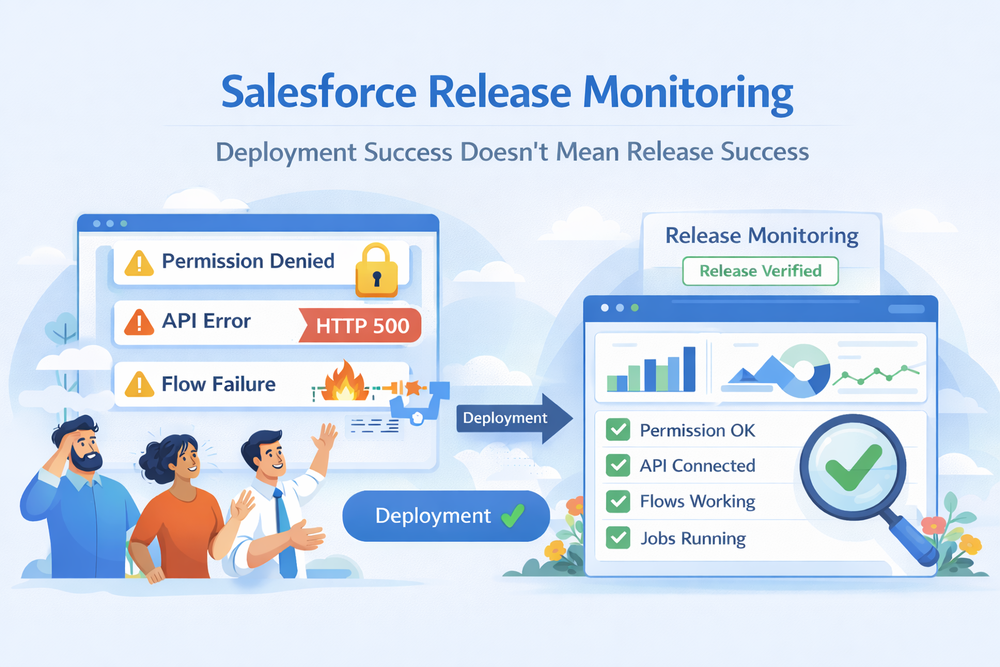
Salesforce release monitoring is the process of verifying the system state after deployment to ensure business processes continue to function correctly in production.
Unlike testing or validation, monitoring happens in real production conditions where users, data, permissions, and integrations interact.
Salesforce provides logs and error reporting through Salesforce Event Monitoring and Debug Logs, but they are reactive and fragmented. They show individual failures — not whether the release itself was successful.
Release monitoring answers a different question:
Did the release work as a whole system?
Deployment vs Release
A deployment finishes when metadata is applied using Metadata API deployment.
A release finishes when users can work without disruption.
Salesforce allows deployments to succeed even when:
- users lose access
- flows fail on real data
- integrations reject payloads
- configuration conflicts exist
- async jobs fail later
Release monitoring detects these post-deployment risks.
Validation vs Monitoring
Validation answers: Can this be deployed safely?
Monitoring answers: Did the release behave correctly in production?
Validation predicts behavior.
Monitoring verifies actual system state.
To understand validation better, see Salesforce deployment validation before production.
Why Salesforce Deployments Fail After Successful Deployment
A Salesforce deployment can succeed technically while failing operationally. The platform confirms metadata was applied — it does not confirm business workflows still function.
Salesforce behavior depends on runtime conditions: data, permissions, automation chains, and integrations — not only metadata structure.
Permission Evaluation Happens at Runtime
Profiles and permission sets are evaluated dynamically. A field added to a layout may still be inaccessible to users, causing flows or UI components to fail even though deployment succeeded.
Real Data Is Different From Sandbox Data
Sandboxes rarely mirror production perfectly. Production records contain unexpected values, missing fields, legacy states, or integration artifacts. These conditions trigger logic paths never executed in testing.
Automation Chains Are Non-Deterministic
Modern orgs contain multiple layers of automation:
Flow → Apex → Flow → Validation → Trigger → Integration
Integrations React to Live Payloads
External systems validate real payloads, not test payloads. Schema or value differences cause failures only visible in production.
Package and Configuration Conflicts
Subscriber orgs contain customizations conflicting with upgrades from managed packages.
Asynchronous Processing Masks Failures
Many processes execute later:
- scheduled jobs
- batch processing
- recalculations
- platform events
A successful deployment confirms acceptance — not operational stability.
What Should Be Monitored After a Salesforce Release
Effective monitoring verifies not only technical deployment success, but actual business behavior in production. A release is considered stable only when users, automation, and integrations operate exactly as expected under real data conditions.
User Access and Permissions
After deployment, security changes often cause the first failures. Profiles, permission sets, and sharing rules may behave differently with real users than in sandboxes.
Users must still:
create records
edit data
run processes
access UI components
Even small permission differences can block critical workflows such as Opportunity updates, case processing, or approvals.
Automation and Flows
Verify Salesforce Flow execution and automation behavior under real data volume. Flows that passed tests may still fail when encountering unexpected record states, inactive values, or missing related data.
Pay special attention to:
- triggered flows
- validation rules
- approval processes
- record-triggered automation chains
Many post-deployment incidents are caused not by metadata errors, but by automation logic reacting differently in production.
Integrations and APIs
Confirm integrations behave correctly via Salesforce REST API and connected systems. External platforms may rely on fields, statuses, or events that changed during deployment.
Monitor:
- failed API calls
- authentication errors
- missing payload data
- webhook processing
Integration failures often appear minutes after release when background sync resumes.
Data Processing and Background Jobs
Check async jobs via Apex Jobs monitoring. Scheduled processes, batch jobs, and platform events reveal issues that do not appear immediately.
Watch for:
- queue backlog growth
- failed scheduled jobs
- retries and exceptions
- delayed automation
Large datasets frequently expose logic gaps that sandbox testing cannot reproduce.
UI Behavior
Layouts and visibility rules must remain usable for real roles and devices. Even correct metadata can produce unusable UI due to conditional visibility, dynamic forms, or missing components.
Confirm:
- page layout sections visible
- buttons actionable
- related lists accessible
- mobile UI still functional
A technically successful deployment is not a successful release until the interface remains usable for end users.
Release Monitoring Timeline
Release monitoring does not start when users report issues — it starts immediately after deployment finishes.
The first minutes after a production release are the most critical. At this stage, Salesforce metadata is already applied, but real behavior of the system is still unknown. Automated tests confirm technical validity, yet they do not guarantee business stability.
0–5 minutes
Initial system health verification. Background jobs start executing, integrations reconnect, scheduled flows run for the first time in production context.
5–30 minutes
Permission conflicts and missing access become visible. Users begin interacting with updated UI, page layouts, and automations. Most failures appear here: validation rules, flows, and triggers behaving differently with real data.
30–120 minutes
External integrations and API usage stabilize. Async processing, queues, and platform events reveal hidden errors that were not reproducible in sandboxes.
2–24 hours
Data drift and edge-case scenarios surface. Reporting, scheduled automation, nightly jobs, and large datasets expose issues that only occur at scale.
Because of this, deployment success is only a technical milestone — release success is a monitored time window. Mature teams treat monitoring as a staged validation process rather than a single check.
A reliable release process includes predefined checkpoints, alerts, and rollback readiness during the entire monitoring timeline.
Manual vs Automated Salesforce Release Monitoring
Manual verification is unreliable:
- inconsistent testing
- late discovery
- no audit trail
Teams usually learn about issues from support tickets.
Automated monitoring provides:
- repeatable release verification
- immediate risk detection
- objective rollback decisions
ZuppIO post-deployment automation verifies configuration state across environments and detects release inconsistencies.
It helps teams answer:
Is this release safe to keep in production?
Monitoring, Validation, and Rollback
Release safety consists of three stages:
Validation → prevents predictable failures
Monitoring → detects operational risk
Rollback → restores safe state
To understand rollback decisions see Salesforce deployment rollback guide.
ZuppIO connects validation signals and post-deployment verification and supports controlled revert decisions.
Monitoring in Multi-Org and ISV Environments
ISVs and enterprises operate multiple org configurations:
- custom subscriber changes
- package combinations
- regional configuration
- data differences
ZuppIO verifies release state across multiple Salesforce orgs simultaneously.
Best Practices for Salesforce Release Monitoring
- Verify behavior, not metadata
- Run automated smoke checks immediately
- Track permission changes
- Confirm automation execution
- Observe async processing results
- Detect silent failures early
- Connect monitoring to rollback workflows
Conclusion
A successful deployment does not guarantee a successful release.
Salesforce logs show errors — but only release monitoring confirms stability.
Mature teams:
validate before release
verify after release
revert when necessary
Start implementing it with ZuppIO.
What is Salesforce release monitoring?
It verifies that a release actually works in production after deployment.
Is monitoring the same as logging?
No. Logs show errors. Monitoring confirms release stability.
Why do releases fail after successful deployment?
Because runtime behavior depends on data, permissions, integrations, and async processes.
When should rollback be performed?
When monitoring shows the release introduces operational risk.
How does ZuppIO help?
ZuppIO verifies post-deployment system state across environments and supports safe release decisions.