
How to Automate Salesforce Post-Release Tasks Safely
Salesforce post deployment automation is the process of turning a successfully deployed release into a working production system.
Many teams assume a release finishes when deployment succeeds: tests pass, pipeline is green, metadata is in production.
But at that moment the system has not actually started working yet.
Before users log in, Salesforce is only configuration.
After users log in, it becomes behavior — automation runs, permissions apply, data updates and integrations execute.
Most incidents appear exactly in this transition.
Nothing fails during deployment. Failures happen when real activity begins.
This is the gap between technical success and operational readiness — and post-deployment automation exists to control it.
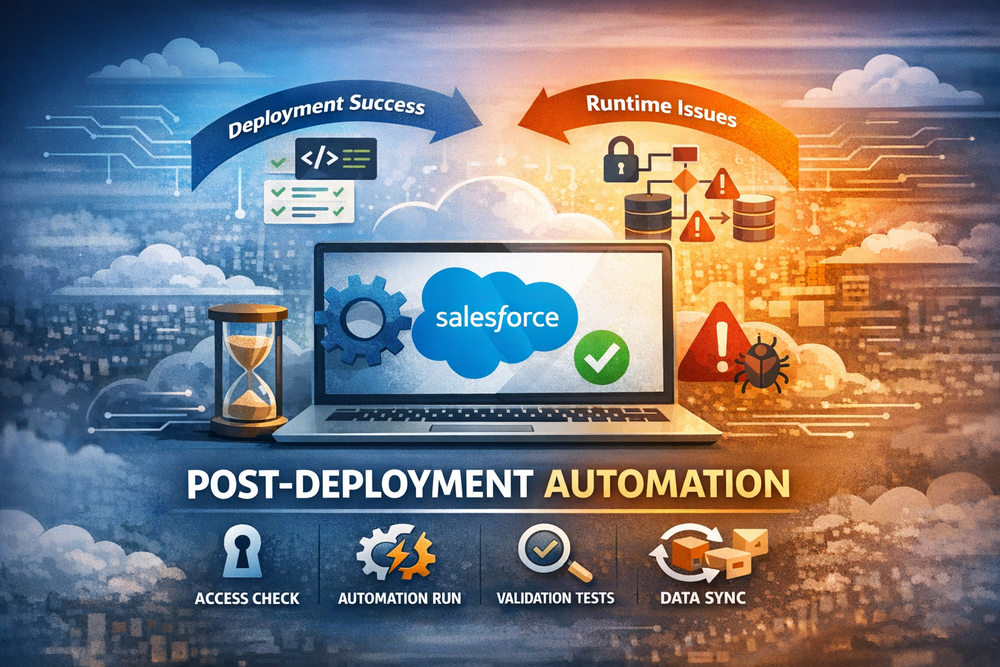
What Actually Happens After Deployment
A deployment does not instantly stabilize a Salesforce environment.
It changes the system state, but the platform still needs to reconcile that new state with existing production data and activity.
When users begin interacting with the system, Salesforce starts executing runtime processes that never fully exist in test environments.
Within minutes the platform may:
- recalculate sharing access
- execute asynchronous Apex jobs
- run scheduled flows
- evaluate validation rules against historical records
- rebuild indexes
- trigger external integrations
This runtime behavior follows Salesforce event-driven processing described in platform events and event-driven architecture.
This is why a release often appears successful immediately after deployment and fails later.
Sandbox testing cannot fully reproduce this moment because production differs in critical ways:
- data volume and history
- real user behavior
- integration timing
- long-running background jobs
Production is not a larger sandbox. It is a live system with accumulated state.
A release therefore does not only introduce new logic — it reinterprets existing data.
Types of Post-Release Failures
Most Salesforce failures are not syntax errors or failed tests.
They are conflicts between new configuration and existing system state.
Permission activation conflicts
A permission set deploys successfully.
Users log in before access recalculation completes.
They temporarily lose access to records they previously managed.
The release is technically correct — the timing is not.
Automation storms
A Flow now updates a field across large historical datasets.
The first user action triggers thousands of queued operations.
CPU spikes appear minutes later rather than during deployment.
Validation retroactivity
A new validation rule assumes data already follows the new format.
Older records do not.
Integrations inserting legacy data begin failing.
Sharing recalculation locks
Role hierarchy changes trigger background sharing recalculation.
Users editing related records encounter intermittent locks.
Integration schema mismatch
External systems still expect previous field behavior.
API calls succeed but business processing fails.
These failures appear only when real usage begins, which is why they bypass deployment validation explained in Salesforce release management fundamentals (DevOps Center).
Why CI/CD Cannot Prevent This
CI/CD pipelines verify delivery.
They confirm that metadata can be deployed and tests can run.
They validate:
- compilation
- test execution
- package integrity
But production stability depends on runtime conditions:
- data state
- user activity
- background processing
- time-dependent behavior
A deployment answers: can the system start?
Operations answer: can the business work?
CI/CD solves the first problem.
Post-release automation solves the second.
Safe Automation Strategy
Mature Salesforce teams treat a release as a controlled activation process rather than a single event.
Phase 1 — Stabilization
Immediately after deployment, background processes need time to reconcile the system:
sharing recalculations complete
async jobs drain
caches warm
Phase 2 — Verification
Realistic operations are executed intentionally:
records are created using real permission sets
automation executes under observation
integrations process controlled transactions
Phase 3 — Activation
Once the environment behaves predictably, normal user activity resumes.
At this point the release becomes operational rather than technical.
Without these phases, users effectively become the monitoring system.
Automating Post-Release Tasks
Manual post-release checks work only in small environments.
As systems grow, they become unreliable.
Steps are skipped
timing varies
issues are discovered too late
Automation introduces consistency:
prepare the environment
run operational actions
verify results
enable usage
Operational readiness automation example: mass post-install updates
The difference is not speed — it is controlled readiness.
Where ZuppIO Fits
Traditional Salesforce DevOps tools manage how changes are delivered between environments:
CI/CD for Salesforce environments
They solve delivery reliability.
But instability appears after delivery, when the platform begins processing real activity.
ZuppIO operates in this operational gap between deployment and usage.
It coordinates controlled activation of production by:
executing post-release operations in sequence
aligning permissions across users — mass access request
rolling out updates across orgs — mass package install and upgrade
Instead of waiting to see whether production stabilizes, teams confirm stability before business processes depend on the system.
This shifts releases from reactive support to controlled rollout.
Conclusion
A deployment completes a technical process. A release completes a business process.
Salesforce systems rarely fail during deployment. They fail during activation — when real behavior begins.
Post-deployment automation ensures activation is intentional rather than accidental.
Because success is not when metadata is delivered — success is when users never notice the release happened.
What is Salesforce post deployment automation?
It is a structured process that controls what happens after deployment so the system becomes operational before users depend on it. Instead of waiting for incidents, teams intentionally activate production behavior and verify stability.
Why do issues appear after a successful deployment?
Because deployment validates configuration, not runtime behavior. When real users and real data interact with new logic, hidden conflicts appear — especially with permissions, automation and integrations.
Can CI/CD tools solve post-release failures?
No. CI/CD ensures code delivery, but operational stability depends on production state and timing. Post-release automation complements DevOps rather than replacing it.
When should post-deployment automation run?
Immediately after deployment and before normal user activity resumes. The goal is to validate behavior before business processes rely on the system.
How does ZuppIO help?
ZuppIO coordinates production activation by executing post-release operations in order, verifying readiness and exposing the system to users only after it is stable.