
Salesforce DevOps Best Practices with ZuppIO
Salesforce DevOps is becoming a core part of modern enterprise architecture. Today, the platform is no longer just a CRM — it is a full-scale digital platform that powers sales, support, marketing, billing, partner programs, analytics, and integrations. For many companies, Salesforce is now mission-critical infrastructure.
At the same time, the operational complexity of Salesforce keeps growing. Most teams no longer manage a single org. In reality, they work with dozens of environments: production, sandboxes, developer orgs, testing environments, and integration orgs. For Salesforce ISVs and AppExchange vendors, this often includes hundreds of subscriber orgs as well.
At this point, it becomes clear that is not just about deploying metadata. It is a discipline of managing releases, changes, and configurations across a distributed Salesforce platform.
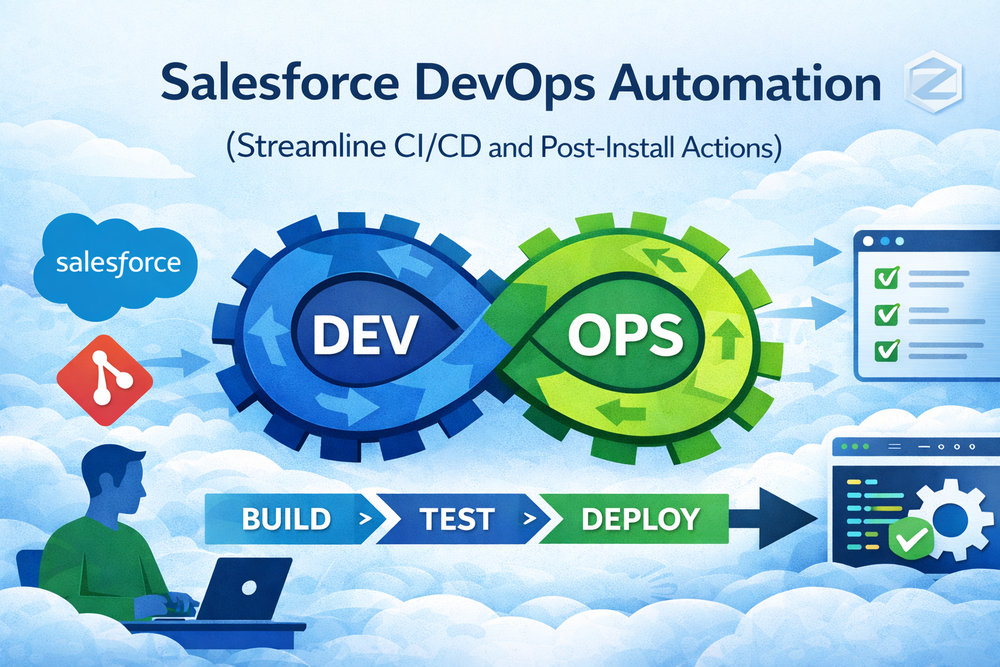
What DevOps Means for Salesforce Teams
In practice, Salesforce DevOps is not just about delivering code from Git into an org. A real Salesforce release is a combination of changes across metadata, configuration, UI, permissions, and data.
A Salesforce org is simultaneously:
- a runtime platform
- a database
- a UI framework
- an integration hub
Every change affects multiple layers of the system. A feature release is not only Apex and LWC — it also includes Page Layouts, Picklists, Profiles, Reports, Dashboards, List Views, and business automation.
That is why is much closer to release engineering than to classic DevOps. It is change management for a live business platform, where a broken release can directly impact sales, support, and financial operations.
Why Traditional DevOps Breaks in Salesforce
Traditional DevOps follows a simple delivery model: code lives in Git, passes CI, runs tests, and is deployed into an environment. After that, the system is considered updated.
In Salesforce, this model only works partially.
First, Salesforce is not a typical application. In fact, a large part of the business logic lives in configuration. Second, when you deploy metadata or upgrade a managed package, Salesforce does not automatically update many subscriber-editable components.
As a result, teams often face a familiar situation:
- the release was deployed successfully,
- but new fields do not appear on layouts,
- new values are missing from picklists,
- users do not have the correct permissions,
- reports and dashboards are not updated.
For Salesforce DevOps, this means that a release does not end with deployment. Without post-deploy automation, environments quickly drift out of sync.
Common Release and Deployment Challenges
Most enterprise teams and ISV vendors face the same Salesforce DevOps challenges.
In many organizations, teams still perform releases manually. Teams deploy metadata using Change Sets or scripts, and Admins execute post-deploy steps using checklists.
Over time, this leads to predictable symptoms:
- configurations start to diverge between orgs,
- user interfaces look different across environments,
- new features work only partially,
- users get inconsistent experiences,
- support teams are flooded with tickets.
In a multi-org architecture, these issues scale quickly. The more environments you have, the harder it becomes to keep them consistent — and the higher the cost of every mistake.
As a result, turns into a collection of disconnected tools and manual procedures instead of a controlled system.
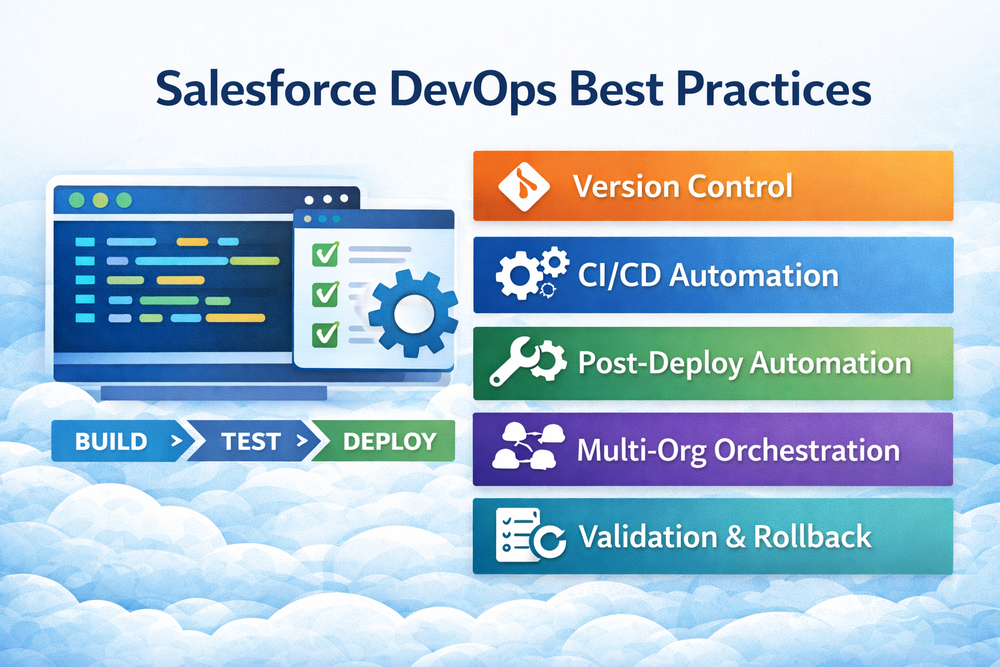
Salesforce DevOps Best Practices
Strong Salesforce DevOps is built around process first, tools second.
At its core, every release must be reproducible, controlled, and safe.
In mature Salesforce DevOps teams, the workflow usually looks like this:
- all changes are stored in Git
- every change goes through automated validation
- releases are fully reproducible
- environments follow a clear strategy
- versioning and change history are always available
A single source of truth is critical. Code, metadata, and configuration must be versioned together to ensure transparency and traceability.
Automation is the next foundation. Any repetitive manual action in Salesforce eventually becomes a source of errors. If a release depends on manual steps, it will break sooner or later.
But automation in Salesforce does not stop at CI/CD. Real Salesforce DevOps includes post-deploy and post-install processes:
- layout synchronization
- picklist updates
- profile and permission changes
- report and dashboard updates
- feature enablement
Multi-org management is another key pillar. In a distributed architecture, requires centralized environment control, a clear org strategy, and a consistent delivery model.
Finally, every release must have a rollback strategy. In Salesforce, release failures can directly impact business operations, so the ability to recover quickly is essential.
How ZuppIO Automates Salesforce Releases
ZuppIO was built as a platform for managing Salesforce infrastructure at scale. It is not just a CI/CD tool — it is a centralized control plane for Salesforce orgs.
The ZuppIO platform allows teams to connect dozens or hundreds of orgs and manage them from a single interface.
A typical Salesforce DevOps release with ZuppIO looks like this:
- prepare changes in a source org
- validate the release
- deploy metadata
- run post-install updates
- execute Apex scripts
- verify results in target orgs
- rollback supported components if needed
Each release is defined as a Job — a delivery workflow that includes package installation or upgrade, metadata deployment, post-install updates, Apex execution, validation, and revert for supported components.
One of ZuppIO’s core capabilities is post-install automation. The platform synchronizes Page Layouts, Picklists, Profiles, Reports, Dashboards, List Views, and other subscriber-editable components across orgs. This helps prevent configuration drift and keep environments consistent.
Learn more about this approach on the Salesforce post-install automation page:
https://zupp.io/mass-post-install-updates/
ZuppIO also supports mass Execute Anonymous Apex, enabling large-scale data fixes, migrations, and maintenance operations.
For Salesforce DevOps pipelines, ZuppIO provides Salesforce-focused CI/CD with Git integration that includes both deployment and post-deploy automation. CI/CD and release automation architecture is described here:
https://zupp.io/ci-cd/
Managing Salesforce at Enterprise Scale
Salesforce DevOps with ZuppIO is especially valuable for teams operating at scale.
For ISVs and AppExchange vendors, Salesforce DevOps means:
- centralized management of hundreds of subscriber orgs,
- automated package upgrades,
- controlled post-install configuration,
- reduced support workload.
For enterprise teams, becomes the foundation of multi-org governance, compliance, and release control.
For Salesforce partners, Salesforce DevOps with ZuppIO enables standardized client environment management and predictable release delivery.
Conclusion
Salesforce DevOps today is more than a technical practice. It is a strategic capability for managing a business-critical digital platform.
Modern Salesforce teams are moving:
- from manual releases to release automation,
- from isolated scripts to orchestration,
- from operational chaos to controlled infrastructure.
ZuppIO helps teams build a scalable, secure, and transparent Salesforce DevOps model.
What is Salesforce DevOps?
Salesforce DevOps is a set of practices and tools used to manage development, deployment, configuration, and release processes across Salesforce environments.
Why is Salesforce DevOps different from traditional DevOps?
Salesforce DevOps combines application logic, data, UI, and integrations in a single platform. Many components are not updated automatically during deployments, which requires additional post-deploy automation.
What are Salesforce DevOps best practices?
Salesforce DevOps best practices include source control, CI/CD automation, post-deploy automation, multi-org orchestration, validation, rollback strategies, and automated data operations.
How does ZuppIO help with Salesforce DevOps?
ZuppIO provides a centralized Salesforce DevOps platform that automates package installation, metadata deployment, post-install updates, CI/CD pipelines, validation, rollback (for supported components), and mass Apex execution across multiple orgs.