
What Happens After Deployment in Salesforce (Real Challenges Explained)
Salesforce deployment challenges often begin after deployment, not during it.
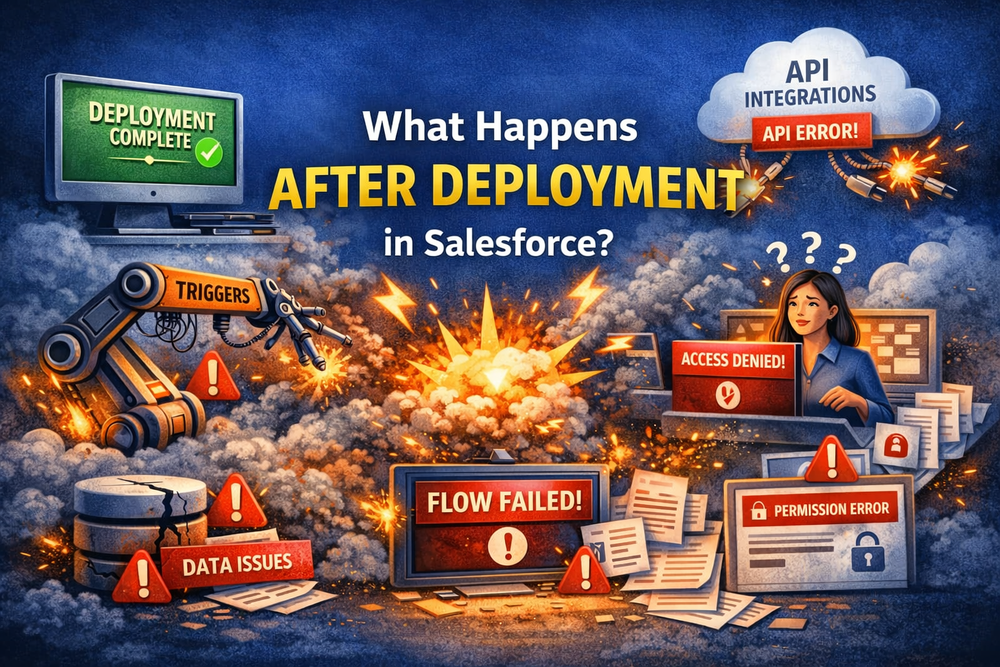
Many teams believe that once a deployment is complete, the work is done. In reality, this is where the most critical phase starts. After deployment, Salesforce systems begin to behave differently: automation executes updated logic, integrations reconnect, and users interact with new configurations.
The real work starts after deployment.
Salesforce Deployment Challenges After Release
Deployment is only the moment when changes are delivered. What follows is a dynamic phase where the system operates under new conditions.
Automation Challenges After Deployment
Once deployment is complete:
- flows execute updated logic
- triggers process new conditions
- scheduled jobs continue with modified rules
These processes already exist, but after deployment they behave differently due to changes in metadata and configuration.
Salesforce automation depends heavily on real data and runtime behavior, as explained in Salesforce architecture fundamentals.
Integration Challenges After Deployment
External systems reconnect under new conditions:
- APIs exchange data
- integrations rely on updated mappings
- schema or permission changes affect behavior
Even small differences can break integrations.
User-Driven Challenges in Production
Real users introduce:
- unexpected inputs
- edge cases not covered in testing
- permission-based differences
This is where system behavior becomes fully visible.
Common Salesforce Deployment Challenges
After deployment, teams encounter recurring issues.
Configuration Challenges
- layouts do not match expectations
- picklists behave differently
- permissions are inconsistent
Automation Issues in Production
- flows trigger incorrectly
- logic behaves differently with real data
- dependencies break
Integration Issues
- API calls fail
- mappings break
- external systems expect different structures
Data-Related Challenges
- historical data conflicts with new logic
- records are updated incorrectly
- values are overwritten
Why Salesforce Deployment Challenges Don’t Appear Immediately
Many Salesforce deployment challenges are delayed.
Delayed Execution
- scheduled jobs run later
- async processes trigger after deployment
Background Processing
- recalculations happen over time
- system updates propagate gradually
User Interaction
- users trigger logic
- edge cases surface progressively
Everything looks fine — until it’s not.
Why Deployment Tools Don’t Fully Solve Salesforce Deployment Challenges
Deployment tools validate delivery — not runtime behavior.
They:
- check metadata
- validate dependencies
- confirm deployment success
But they do not fully validate real-world system behavior.
See more in
limitations of Salesforce deployment tools
The Post-Deployment Layer in Salesforce
There is a hidden layer:
post-deployment behavior
This includes:
- runtime logic
- configuration interactions
- real-time data processing
This layer defines how the system actually works.
Real Example of Salesforce Deployment Challenges
A typical scenario:
- deployment succeeds
- automation runs updated logic
- existing data triggers issues
- records update incorrectly
Technically — deployment succeeded
Practically — system breaks
How Teams Handle Deployment Challenges Today
Most teams rely on:
- manual fixes
- scripts
- reactive troubleshooting
This leads to:
- delays
- errors
- inconsistencies
Why Salesforce Deployment Challenges Grow Over Time
As systems scale:
- more automation
- more integrations
- more environments
Challenges increase exponentially.
Managing Salesforce Deployment Challenges After Release
Teams need:
- visibility
- automation
- consistency
Deployment alone is not enough.
See
Salesforce deployment tools and DevOps guide
How ZuppIO Helps Manage Salesforce Deployment Challenges
ZuppIO helps teams manage Salesforce deployment challenges after release by adding control and automation.
It allows teams to:
- automate post-deployment updates
- synchronize configurations
- execute changes across orgs
- validate changes and safely revert updates
For example:
- post-install updates across multiple orgs
- execute anonymous Apex in Salesforce
- validation and revert in Salesforce
Final Thoughts
Salesforce deployment challenges are not about deployment itself.
They are about what happens after.
Teams that understand this can:
- reduce risks
- improve stability
- scale effectively
The real challenge is managing system behavior after deployment.
What happens after deployment in Salesforce?
After deployment, Salesforce starts operating with updated logic, configurations, and integrations. Automation such as flows and triggers begins executing under real conditions, external systems reconnect, and users interact with the system. This is when hidden issues often appear, even if deployment itself was technically successful.
Why do Salesforce deployment challenges appear after release?
Most issues appear after release because deployment tools validate metadata, not real system behavior. Problems arise when automation interacts with real data, integrations process updated fields, and users trigger edge cases that were not covered in testing environments.
Do Salesforce deployment tools prevent post-deployment issues?
No, deployment tools ensure that changes are delivered correctly, but they do not fully validate runtime behavior. They cannot simulate real user interactions, production data conditions, or integration dependencies, which is why issues often surface after deployment.
What are the most common challenges after Salesforce deployment?
Common challenges include configuration mismatches, automation errors, integration failures, and data inconsistencies. These problems are usually caused by differences between environments and the way real data behaves in production.
How can teams manage Salesforce deployment challenges effectively?
Teams can manage these challenges by introducing post-deployment automation, improving visibility into system behavior, and ensuring consistency across environments. Tools like ZuppIO help automate updates, control changes, and reduce risks after deployment.