
Limitations of Salesforce Deployment Tools (What Teams Miss)
Salesforce deployment tools are widely used to manage releases, automate delivery, and bring structure to DevOps processes. Many teams believe that once deployment is automated, the hardest part is solved.
In reality, this is not the case.
Most Salesforce deployment tools focus on moving metadata between environments — but they do not ensure that the system works correctly after deployment.
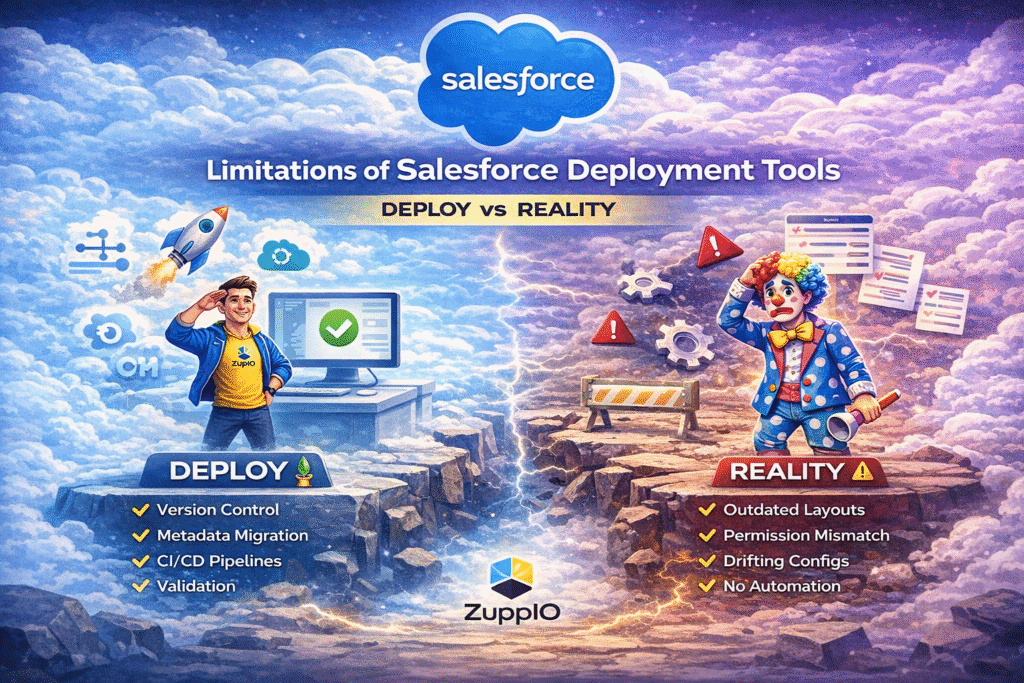
What Salesforce Deployment Tools Actually Solve
Before discussing limitations, it’s important to understand what these tools do well.
Salesforce deployment tools typically help teams:
- deploy metadata between environments
- manage version control
- automate CI/CD pipelines
- validate changes before release
For a broader overview, you can explore a complete guide to Salesforce deployment tools and DevOps solutions.
(anchor: Salesforce deployment tools and DevOps solutions)
These capabilities are essential. However, they represent only part of the release process.
Core Limitations of Salesforce Deployment Tools
Despite their benefits, Salesforce deployment tools have several critical limitations that impact real-world environments.
They Only Handle Metadata, Not Configuration
Deployment tools focus on metadata, but Salesforce systems rely heavily on configuration.
After deployment:
- layouts may not reflect changes
- picklists may be inconsistent
- permissions may not be applied correctly
- record types may behave differently
This leads to a key issue:
Deployment does not equal system readiness.
No Post-Deployment Automation
Most tools stop working once deployment is complete.
There is no built-in way to:
- update configurations
- align environments
- apply changes at scale
As a result, teams often spend hours manually fixing issues after each release.
No Multi-Org Consistency
For organizations managing multiple Salesforce orgs, this becomes even more challenging.
Each org evolves independently:
- configurations diverge
- updates are applied inconsistently
- environments drift over time
This is especially critical for ISVs and enterprises working across multiple customers or regions.
No Release Coordination Across Teams
Salesforce environments often involve multiple roles:
- developers deploy changes
- admins adjust configurations
- business users run processes
- integrations exchange data
Deployment tools do not coordinate these activities, which leads to fragmented releases and operational issues.
No Real Rollback for Complex Scenarios
Rollback capabilities are usually limited to metadata.
They do not restore:
- configuration changes
- user access settings
- data-related behavior
This makes it difficult to safely recover from failed releases in real-world scenarios.
Why These Limitations Matter
These limitations are not theoretical — they directly impact business operations.
After deployment:
- users may face broken experiences
- automation may behave incorrectly
- integrations may fail
- data inconsistencies may appear
In many cases, issues are detected too late.
By the time problems are visible:
- users are already impacted
- processes are already running incorrectly
- data has already been affected
The Missing Layer in Salesforce DevOps
Salesforce DevOps has evolved significantly, but it still lacks one critical component.
Deployment tools focus on delivery.
They do not focus on what happens after.
This creates a gap between:
- successful deployment
- working system
What Happens After Deployment
After a release, the system goes through multiple changes:
- sharing rules recalculate
- scheduled jobs execute
- integrations reconnect
- automation starts running
At the same time:
- admins adjust permissions
- support teams update data
- users interact with the system
This phase is where most issues occur — and it is not covered by traditional deployment tools.
How Teams Try to Solve This Today
To handle these gaps, teams often rely on:
- manual updates
- custom scripts
- internal tools
While this may work in small environments, it does not scale.
As systems grow, manual processes introduce:
- errors
- delays
- inconsistencies
Introducing the Operational Layer
To address these challenges, teams need more than deployment tools.
They need an operational layer that ensures the system works correctly after release.
What ZuppIO Solves
ZuppIO is designed to automate post-deployment processes and ensure consistency across environments.
It enables teams to:
- automate post-deployment updates
- synchronize configurations across orgs
- execute changes at scale
- validate and revert operations
For example, teams can automate post-install updates across multiple orgs.
(anchor: post-install updates across multiple orgs)
They can also execute mass deployments and updates using ZIP packages.
(anchor: mass ZIP deploys in Salesforce)
Additionally, teams can run scripts across environments using anonymous Apex.
(anchor: execute anonymous Apex in Salesforce)
And ensure safe operations with validation and rollback.
(anchor: validation and revert in Salesforce)
Deployment vs Operations
| Layer | Responsibility |
|---|---|
| Deployment tools | Move metadata |
| Operational layer (ZuppIO) | Ensure system consistency |
Final Thoughts
Salesforce deployment tools are essential for modern DevOps processes.
However, they are not enough on their own.
Deployment is only the beginning.
The real challenge is ensuring that the system works correctly after release.
As Salesforce environments grow in complexity, this becomes a critical factor for stability, scalability, and business success.
What are the limitations of Salesforce deployment tools?
Salesforce deployment tools mainly focus on metadata deployment and do not handle post-deployment processes such as configuration updates, permissions alignment, or system consistency.
Why do issues happen after deployment in Salesforce?
Issues occur because deployment tools do not manage what happens after release. Configuration mismatches, automation behavior, and environment differences can cause problems even after a successful deployment.
Do Salesforce deployment tools handle configuration updates?
In most cases, no. Configuration elements like layouts, permissions, and picklists are not automatically updated after deployment and require manual work or additional tools.
How to manage post-deployment processes in Salesforce?
Teams typically use manual processes, scripts, or specialized tools to handle post-deployment updates, synchronize environments, and maintain consistency across systems.
What is missing in Salesforce DevOps today?
The main gap is the lack of an operational layer that manages system behavior after deployment. This includes automation, validation, and coordination across environments.