
Salesforce Deployment Validation and Rollback: How to Protect Production Releases (2026)
Salesforce deployment validation and Salesforce deployment rollback are no longer optional safeguards for modern release processes. As Salesforce environments become more complex, release frequency increases and production stability becomes harder to maintain, For this reason, teams must validate changes carefully before deployment. and how quickly they can recover when something goes wrong.
Automation alone does not guarantee safe releases. Many teams have automated pipelines but still experience production incidents because validation and rollback are treated as separate or secondary concerns. In practice, these two capabilities must work together as a single protection layer for production.
This article explains how Salesforce deployment validation and rollback work, why they must be automated together, and how enterprises and ISVs can use them to protect production releases at scale in 2026.
If you are looking for a broader release framework, this article complements the Salesforce deployment automation checklist.
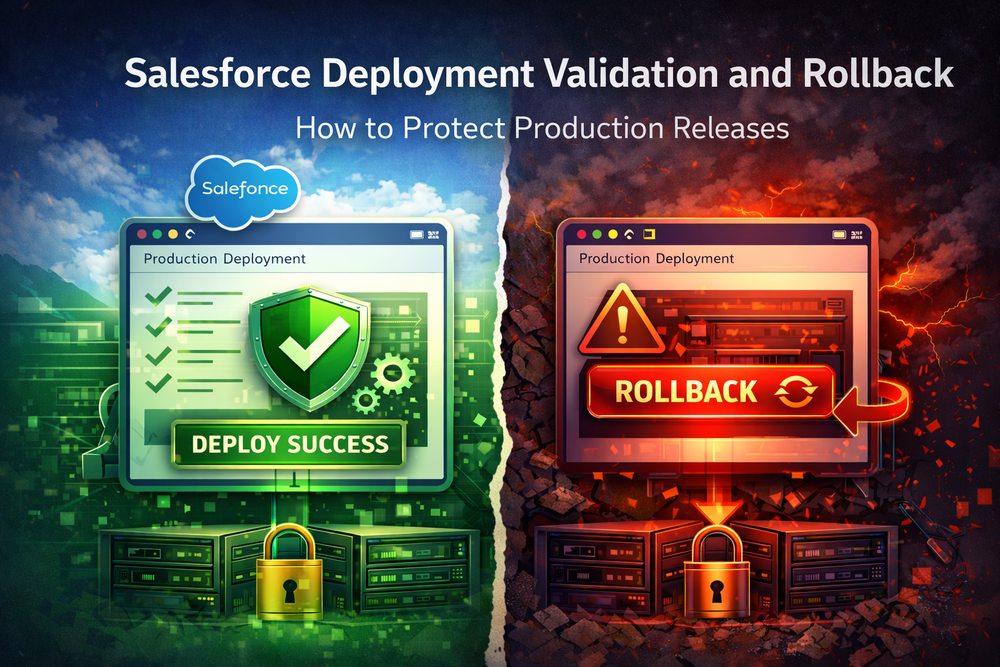
Why Salesforce Deployment Validation and Rollback Must Work Together
Most production incidents are not caused by a single catastrophic error. They occur when multiple smaller issues pass through the release process unnoticed.
First, validation reduces the probability of failure.
When issues still occur, rollback reduces the impact of failure.
Without both mechanisms working together, production remains exposed.
What Happens When Validation Is Missing
Without strong deployment validation, teams often deploy changes that appear successful but introduce hidden problems.
Common examples include missing metadata dependencies, incorrect permission assignments, or Apex tests that do not reflect real production data conditions. These issues may not surface immediately but can disrupt business operations after release.
Validation is the only reliable way to detect these risks before production is affected.
Why Rollback Alone Is Not Enough
Some teams rely on rollback as their primary safety mechanism. While rollback is critical, it should never replace validation.
Weak validation leads to frequent rollbacks, extended downtime, and reduced confidence from business stakeholders. Rollback should serve as a recovery mechanism, not a routine part of every release.
Salesforce Deployment Validation Explained
Salesforce deployment validation is the process of verifying that a release is technically and functionally safe before it reaches production.
Validation in Salesforce must account for metadata dependencies, security models, automation rules, and integration behavior.
What Validation Means in Salesforce
In Salesforce environments, deployment validation typically includes several layers.
Metadata validation ensures that referenced components exist and are compatible with the target org.
Check-only deployments verify that metadata can be deployed using the Metadata API without applying changes.
Automated Apex test execution confirms that code behaves correctly under production conditions.
Dependency analysis identifies relationships between objects, fields, flows, and permissions.
External reference: Salesforce Metadata API documentation
Common Validation Failures Before Production
Validation frequently exposes issues that are not visible during development. In practice, validation often reveals missing metadata dependencies. In addition, it uncovers permission conflicts across profiles and permission sets. At the same time, Apex tests may fail due to data or sharing differences.
Detecting these issues early prevents silent failures and emergency fixes.
Validation Before Production Releases
Validation must occur as close to production as possible. While staging environments are useful, they rarely mirror production exactly.
Mature teams enforce validation gates that block deployments until all criteria are met. Automation ensures that these gates cannot be bypassed under time pressure.
A Salesforce deployment validation checklist helps standardize these checks and ensures consistent enforcement across releases
Salesforce Deployment Rollback Explained
Salesforce deployment rollback is the ability to safely revert changes after a failed or unstable release.
Rollback is not a single action. It is a controlled recovery process that restores the system to a known stable state.
What Rollback Means in Salesforce
Salesforce does not provide instant environment snapshots in the traditional sense. Rollback strategies rely on versioned deployments, metadata backups, and controlled redeployment of previously validated configurations.
A reliable rollback strategy includes:
- Versioned deployment artifacts
- Verified metadata backups
- Clear recovery paths
- Tested rollback procedures
Rollback must be predictable, repeatable, and fast.
Typical Rollback Scenarios
Rollback becomes necessary when a release disrupts critical business operations.
Common scenarios include:
- Core workflows stop functioning
- User access or data visibility changes unexpectedly
- Integrations fail after deployment
- Performance degrades significantly
- Compliance requirements are violated
Why Rollback Must Be Automated
Manual rollback during incidents is slow and error-prone. Under pressure, teams often miss steps or introduce new errors.
Automated rollback procedures reduce recovery time and ensure consistency. They allow teams to stabilize production while investigation continues in parallel.
Internal reference: validation and rollback automation workflows
How Validation and Rollback Automation Reduce Production Risk
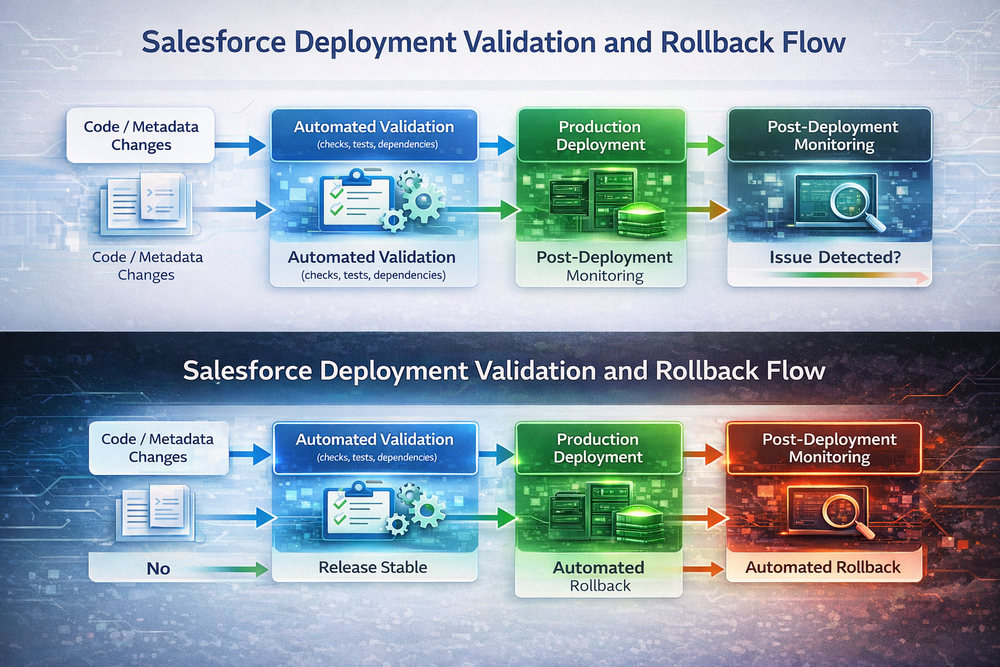
Validation and rollback deliver the greatest value when implemented as a unified system.
Validation prevents unsafe changes from reaching production.
Rollback minimizes damage when unexpected issues still occur.
Reducing Mean Time to Recovery
When validation and rollback are automated, teams know exactly what was deployed and how to revert.
Execution history, versioned artifacts, and predefined recovery workflows significantly reduce mean time to recovery.
Improving Release Confidence
Reliable validation and rollback mechanisms increase confidence across engineering and business teams.
Deployments occur more frequently.
Release freezes become shorter.
Emergency hotfixes become less common.
How ZUPPIO Supports Salesforce Deployment Validation and Rollback
ZUPPIO deployment automation platform
ZUPPIO is designed to support validation and rollback as core components of Salesforce deployment automation.
ZUPPIO helps teams convert validation and rollback requirements into executable workflows, ensuring that dependency checks, test execution, and permission analysis are applied consistently across environments.
For recovery scenarios, ZUPPIO maintains execution history and versioned deployment packages, helping teams restore environments quickly and safely when issues occur.
Related internal resource: Salesforce CI/CD workflows with ZUPPIO.
Real-World Scenario: Preventing a Failed Salesforce Release
An ISV managing dozens of customer orgs previously relied on manual validation and ad-hoc rollback procedures.
When a release introduced permission issues, customers experienced outages while the team attempted to diagnose and fix the problem.
After implementing automated validation and rollback workflows with ZUPPIO, most issues were detected before production. When unexpected problems did reach production, rollback was executed quickly using predefined recovery steps.
As a result, release failures decreased, downtime was reduced, and customer trust improved.
Common Mistakes in Validation and Rollback Strategies
Relying on Validation Without Rollback
Validation reduces risk but does not eliminate it.
Treating Rollback as a Manual Task
Manual rollback is unreliable under pressure.
Skipping Validation Under Time Pressure
Shortcuts often lead to longer outages.
Lack of Audit and History
Without execution history, recovery becomes guesswork.
Conclusion
Salesforce deployment validation and rollback are inseparable components of safe production releases.
Validation prevents many failures from reaching production. Rollback ensures that when failures still occur, recovery is fast and controlled.
As Salesforce continues to expand automation and AI-assisted development capabilities, structured release protection will become even more critical.
What is Salesforce deployment validation?
Salesforce deployment validation is the process of verifying metadata, tests, permissions, and dependencies before changes are deployed to production.
What is Salesforce deployment rollback?
Salesforce deployment rollback is the controlled recovery of environments after a failed or unstable release using versioned deployments and automated procedures.
Why should validation and rollback be automated together?
Together, they reduce both the likelihood and impact of production failures, creating a complete safety net for releases.
Can Salesforce rollbacks be fully automated?
Yes. Using versioned artifacts, backups, and automated recovery workflows, rollback can be executed reliably and quickly.
How does ZUPPIO support validation and rollback?
ZUPPIO helps enforce validation rules and maintain rollback-ready execution history to support consistent release protection.