
Top 10 Salesforce Deployment Automation Best Practices for 2026
Salesforce deployment automation is becoming a critical capability for modern Salesforce teams. As environments grow more complex, organizations must automate validation, releases, and governance to stay competitive.
Salesforce deployment automation is the foundation that enables faster, safer, and more predictable releases. However, automation alone does not guarantee stability. Without clear standards and mature processes, pipelines can amplify existing risks.
If you are just getting started, we recommend reading our complete Salesforce deployment automation guide.
This article outlines the top ten Salesforce deployment automation best practices that high-performing ISVs and enterprises use in 2026 to build reliable and scalable release systems.
What Effective Salesforce Deployment Automation Looks Like
Well-designed deployment automation is predictable and transparent. Releases follow defined workflows. Validation acts as a quality gate. Environments remain aligned. Every change is traceable through source control and execution history.
Effective automation enables:
- Consistent release execution
- Early risk detection
- Faster recovery
- Lower operational costs
- Higher system reliability
Automation becomes truly valuable only when technical workflows and governance mechanisms operate together.
#1. Centralize All Deployment Workflows
Successful automation starts with centralization. All deployment activities should be managed through a single system rather than personal scripts, ad-hoc CI jobs, or fragmented pipelines.
The ZUPPIO deployment automation platform organizes releases as unified job workflows with configurable steps for validation, execution, and post-release actions.
Centralized workflows provide:
- Consistent execution
- Clear ownership
- Unified reporting
- Reduced human error
When deployments are scattered across multiple tools and individuals, governance becomes impossible. Centralization creates operational discipline and accountability.
#2. Treat Validation as a Quality Gate
Validation must function as a strict gate, not as a formality. Automated pipelines should block unstable releases from progressing further.
In Salesforce, check-only deployments validate Metadata API packages and execute Apex tests before changes are applied. ZUPPIO extends this approach with Salesforce CI/CD validation and rollback workflows across multiple target organizations.
Reliable validation includes dependency checks, permission analysis, test execution, and environment comparison.
Common validation gaps:
- Missing metadata dependencies
- Outdated profiles
- Unmanaged configuration changes
- Sandbox-production drift
- Incomplete test coverage
For official technical details, refer to Salesforce deployment documentation.
#3. Standardize Environment Configuration
Automation depends on predictable environments. Development sandboxes, staging orgs, scratch orgs, and production environments should follow standardized configuration baselines.
Feature enablement, security policies, integration credentials, and API versions must remain aligned.
Without standardization, environment drift undermines automation reliability and weakens validation accuracy.
#4. Automate Profile and Permission Management
Permissions remain one of the most common sources of deployment failures. Manual permission updates introduce inconsistencies that are difficult to track and audit.
Automated permission management helps teams keep access models synchronized across environments and releases.
Permission automation reduces:
- Unauthorized access
- Missing field visibility
- Broken business processes
- Post-release incidents
In mature pipelines, permission updates are treated as deployment artifacts rather than manual corrections.
#5. Integrate Automation with Source Control
Source control is the foundation of deployment traceability. All metadata, configuration files, and scripts should be versioned and reviewed in Git repositories.
Integration with source control enables:
- Change history
- Rollback capability
- Peer review
- Release reproducibility
For teams building structured pipelines, Git version control best practices provide a solid technical foundation.
Modern Salesforce pipelines combine Git-based workflows with source tracking and automated deployments.
#6. Build Repeatable Release Pipelines
Release pipelines should follow standardized templates. Every deployment should progress through the same stages regardless of urgency or business pressure.
Repeatable pipelines typically include:
- Build
- Validation
- Approval
- Deployment
- Verification
- Monitoring
In ZUPPIO, pipeline stages are implemented as configurable job steps executed in a controlled sequence.
Special-case deployments weaken governance and increase operational risk.
#7. Enable Post-Deployment Automation
Deployment is not the final step. Many failures occur after metadata is applied, when configurations and data remain unsynchronized.
Post-deployment automation handles:
- Layout synchronization
- Picklist updates
- Data corrections
- Apex script execution
- User provisioning
Automation in this phase reduces dependency on manual fixes and accelerates stabilization.
If issues still occur, teams should rely on automated rollback procedures to restore system stability quickly.
#8. Track Deployment History and Performance Metrics
Automation without measurement cannot improve. Teams must track operational metrics and analyze trends.
Key automation metrics include:
- Deployment frequency
- Failure rate
- Rollback frequency
- Lead time
- Mean time to recovery
ZUPPIO provides centralized execution history and detailed run reports through its CI/CD features to support governance, audits, and continuous optimization.
Historical data enables teams to identify structural weaknesses and improve pipeline design.
#9. Design for Multi-Org Scalability
ISVs and enterprises often manage dozens or hundreds of Salesforce orgs, including subscriber environments for managed packages.
Automation must be designed for scale from the beginning.
Scalable automation supports:
- Parallel execution
- Environment segmentation
- Customer-specific configurations
- Controlled rollouts
For deeper guidance, see our article on Salesforce deployment tools overview.
ZUPPIO runs deployment workflows through a distributed execution layer that processes jobs independently for each target organization.
ZUPPIO shows:
- Missing components
- Permission conflicts
- Dependency failures
- Test issues
before production is affected.
This architecture prevents inconsistent customer experiences and supports large-scale release programs.
#10. Embed Governance into Automation
Governance must be integrated directly into automated pipelines. Manual compliance processes are slow and unreliable.
Effective governance includes:
- Approval workflows
- Audit trails
- Release ownership
- Policy enforcement
- Security controls
ZUPPIO execution history, role-based access, and validation records enable audit-ready release management.
When governance is embedded, compliance becomes automatic rather than reactive.
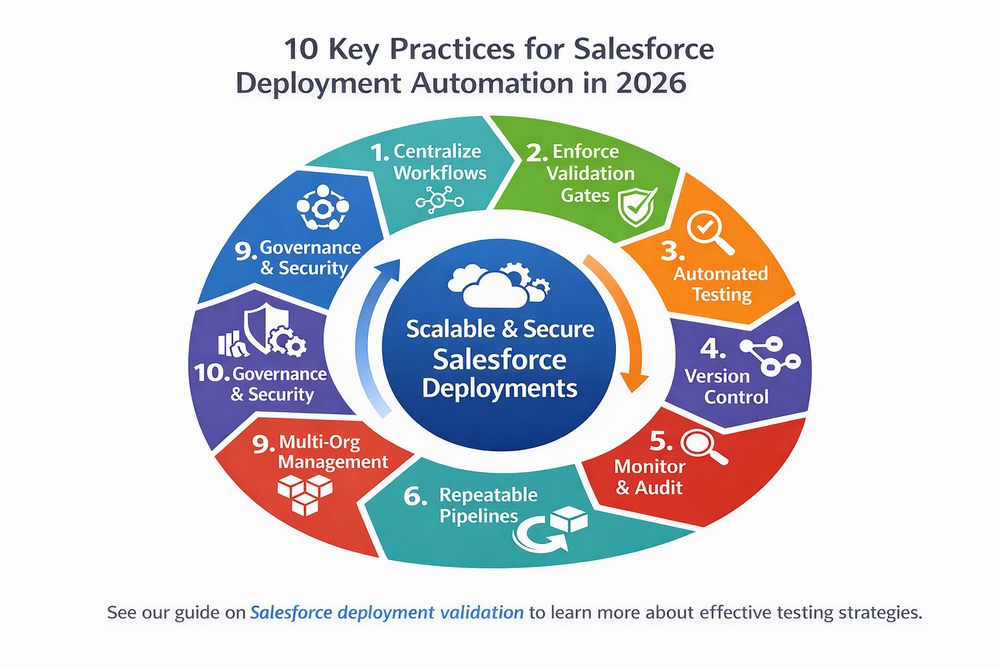
How Automation Maturity Improves Release Performance
A SaaS provider managing more than fifty customer orgs and delivering weekly managed package updates struggled with recurring deployment incidents.
Before automation maturity, the team experienced:
- Monthly production failures
- High support workload
- Delayed releases
- Customer dissatisfaction
- Manual rework
After implementing centralized automation with ZUPPIO, validation, deployment, and post-release processes were unified.
All releases were validated across development, staging, and subscriber environments. Profile updates and layout synchronization were automated. Rollbacks were standardized.
Within three months, incident frequency decreased by more than seventy percent. Release cycles shortened, and operational costs declined.
Common Salesforce Deployment Automation Pitfalls
Even advanced teams encounter challenges when scaling automation.
Common pitfalls include:
- Over-customized pipelines
- Shadow deployment processes
- Bypassing validation
- Missing rollback procedures
- Insufficient documentation
Avoiding these issues requires consistent leadership, technical discipline, and continuous process review.
Implement Salesforce Deployment Automation with ZUPPIO
Building mature deployment automation requires more than scripts and integrations. It requires centralized workflows, governance, and operational visibility.
Without automation, organizations risk:
- Unplanned downtime
- Loss of user trust
- Growing technical debt
- Rising support costs
- Slower innovation
ZUPPIO enables end-to-end Salesforce deployment automation by combining validation, execution, governance, and post-deployment management in one platform.
Learn more about ZUPPIO automation workflows and start building reliable release pipelines today.
Conclusion: Best Practices Create Sustainable Automation
Salesforce deployment automation is not a one-time project. It is an evolving organizational capability that requires continuous improvement.
The most successful organizations follow structured best practices, invest in governance, and design for scale. They treat automation as a strategic asset rather than a technical convenience.
By implementing these ten best practices, ISVs and enterprises can transform deployments from risky events into routine operations.
In 2026 and beyond, sustainable growth depends on reliable automation.
Ready to improve your Salesforce deployment automation?
Explore how ZUPPIO helps ISVs and enterprises automate validation, releases, and governance across multiple orgs.
Get started with ZUPPIO
What is Salesforce deployment automation?
Salesforce deployment automation is the use of automated workflows to manage validation, deployment, configuration updates, and governance across environments.
Is deployment automation necessary for small teams?
It is beneficial for small teams and becomes critical as environments and customer bases grow.
Can automation eliminate deployment failures?
Automation significantly reduces risk but does not eliminate all failures. It improves detection, governance, and recovery.
How long does it take to implement deployment automation?
Implementation time depends on environment complexity. Most teams see measurable improvements within several weeks.
Do automated pipelines replace manual testing?
No. They integrate testing into standardized workflows and ensure consistent execution.
Is ZUPPIO suitable for ISVs?
Yes. ZUPPIO is designed for ISVs managing multiple customer orgs and frequent managed package updates.